Darkroom 7: Faster, Smoother, and Built for the Future
We’re excited to introduce one of the biggest under-the-hood upgrades in Darkroom’s 10 year history: a fully rebuilt rendering engine that dramatically improves stability, reliability, and performance across every part of your editing experience. This new engine powers a new display system, designed to ensure navigation, zooming, panning, mask editing, and cropping are smooth and reliable. Most importantly, while this update is intended to be backwards compatible with your existing edits, the rendering and display systems we built are designed to be forward looking, to another decade of innovation and growth.
Over the past decade, iPhone photography has evolved significantly; higher resolutions, heavier files, more video types, and huge RAW images. Darkroom 7 is aimed to rise to that challenge with an engine built for today’s demands and tomorrow’s features: smoother interaction, higher frame rates, and rock-solid consistency from first adjustment to final export.
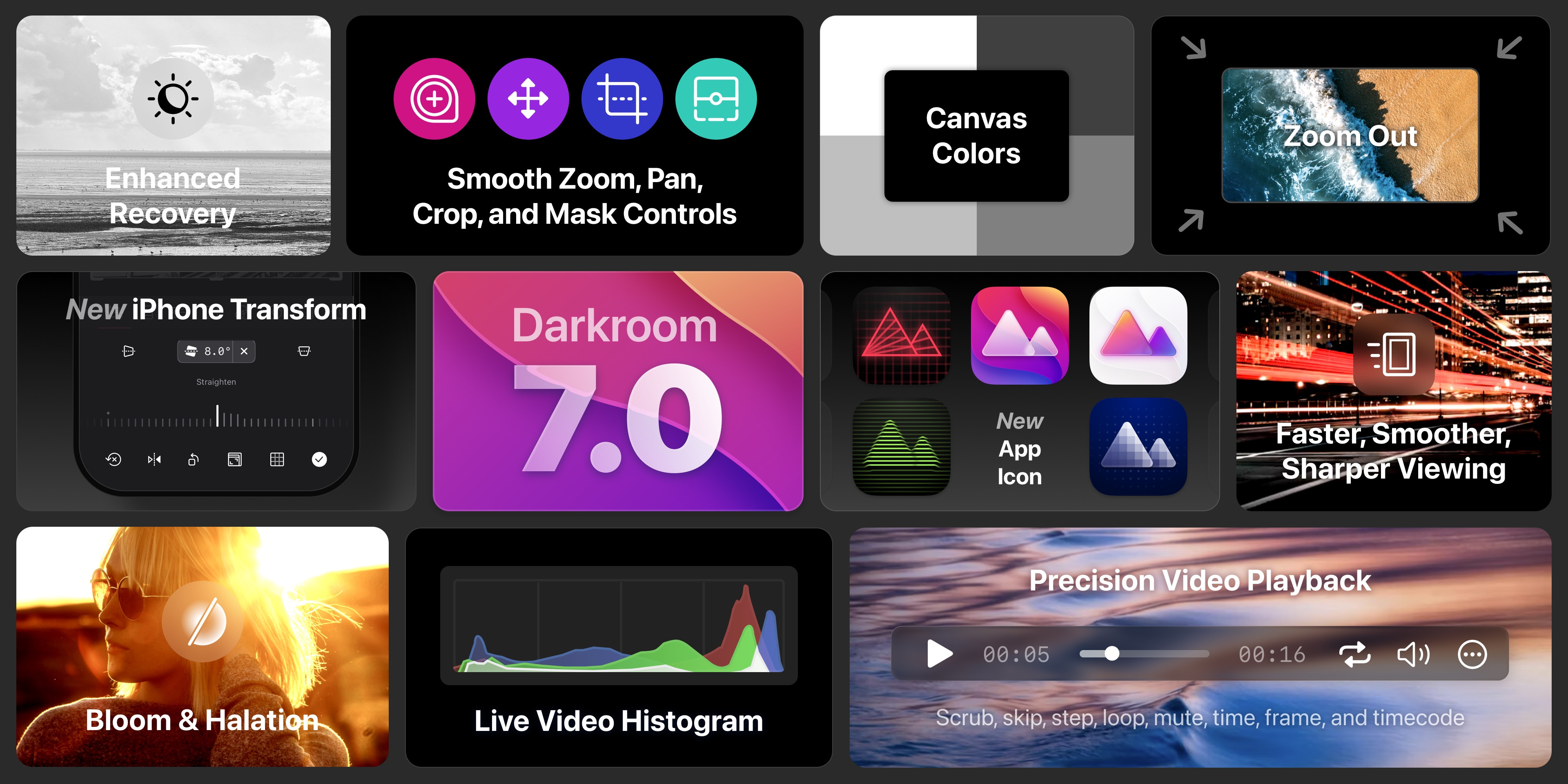
In a Nutshell
We changed… almost everything. And ideally, you mostly won’t notice. That was the challenge. But we’ll share the nerdier details later. Here’s what you will see and feel right away.
- New Bloom and Halation Tools: two nostalgic sliders that bring analog warmth, glow, and atmosphere. Opening up a whole new creative and expressive look to your shots.
- Improved Video & Histogram: video playback controls with scrubbing and 8K real time edits. The live video histogram gives you photo-grade feedback for moving images.
- Enhanced Recovery: the rendering engine is now fully lossless, allowing Shadows and Highlights to pull back even more detail, especially in RAW files.
- Better Viewing: zoom out beyond “fit to view” for a true macro perspective, adjust your canvas background color, and place masks with more freedom and accuracy.
- Smooth Controls: every interaction is noticeably more fluid: sliders, zooming, panning, crop, masks, all rebuilt for precision and effortless response.
And that’s just the start. Keep reading to dive into the details of the improvements below, plus there’s a fresh brand update for 7.0, and, at the end, a look at the new foundation this engine sets for what’s coming next.
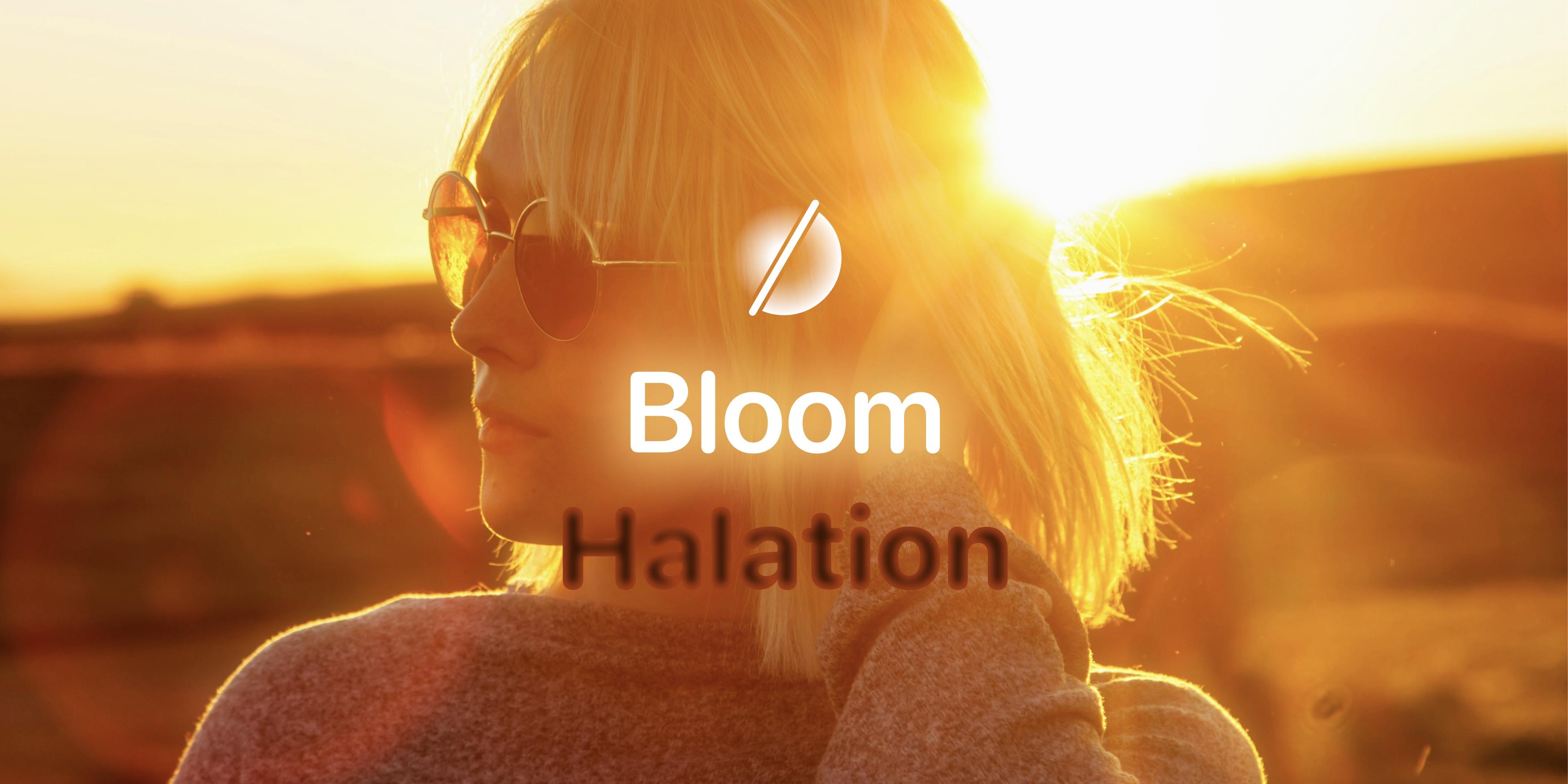
New Bloom & Halation - Darkroom+
These powerful new sliders enhance your creative possibilities, allowing you to add glowing atmosphere and nostalgic feels to your pictures.
Bloom, a powerful new tool designed to add a soft, ethereal glow to your images. Bloom simulates the effect of light spreading beyond its natural boundaries, creating a soft, dreamy, luminous quality, creating a nostalgic feel. Use Bloom to soften harsh highlights, add a romantic atmosphere to wedding photos, or give your night city scenes an enchanting glow.
Halation, our second new tool, mimics the classic film photography effect where bright light sources appear to leak around light edges into darker areas. This tool is perfect for adding a subtle vintage touch or creating a cinematic look in your photos. Halation is especially effective when applied to photos with strong light sources and high contrast, such as street lamps in night photography, backlit portraits, or sunset scenes.
To learn more about Bloom & Halation, it's analog history, see more examples, we have a dedicated guide up to teach you all the ins and outs of Bloom and Halation:
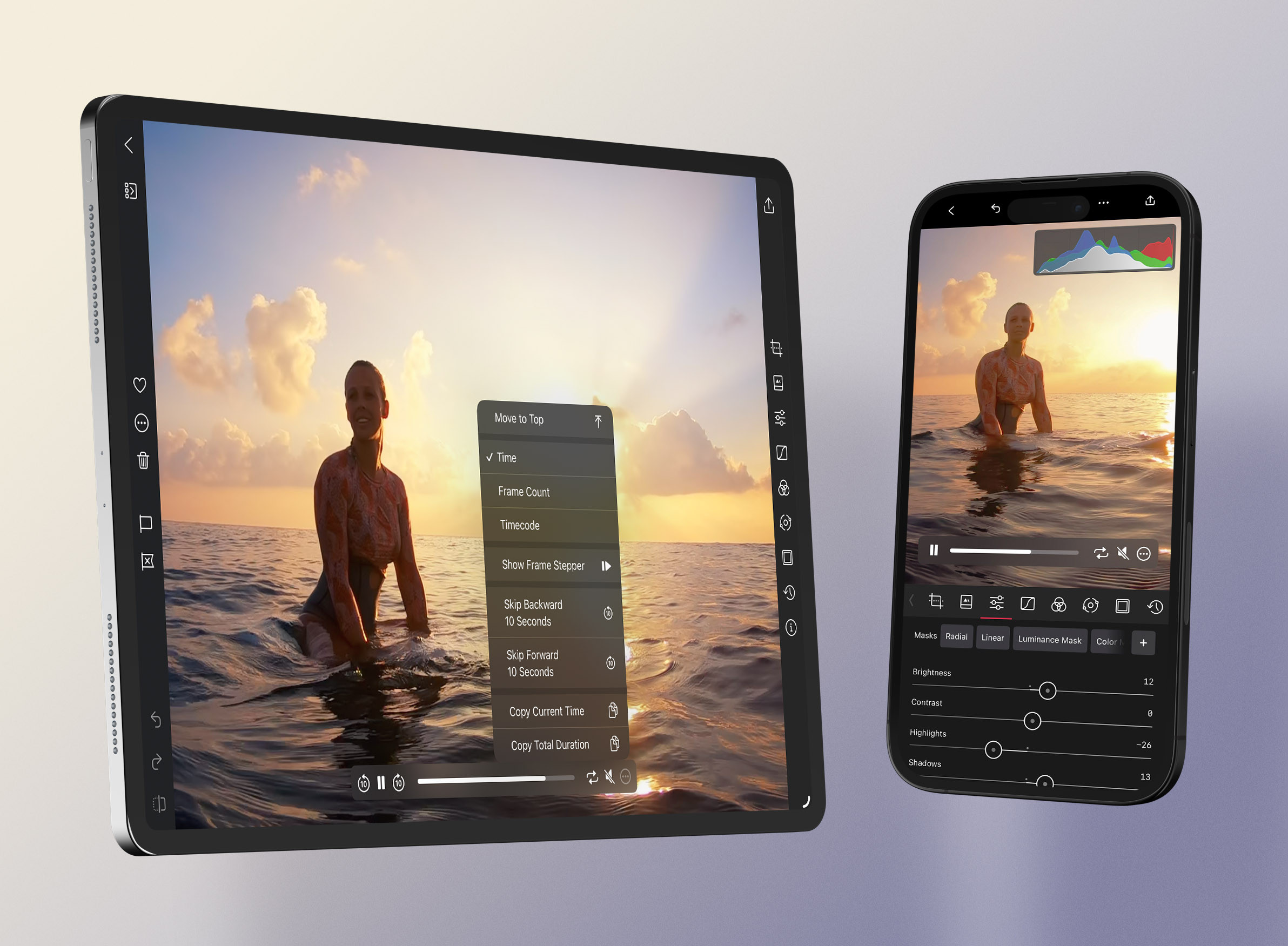
Improved Video & Histogram
Back in 2020, we introduced video processing and playback with the goal of making it feel as immediate as working on a photo, and since then video has only grown as one of the most popular ways we tell visual stories. With Darkroom 7, that original promise takes a major leap: the new engine treats video as a true first-class citizen, giving it the speed, precision, and care it deserves.
- Smooth Playback — We've made significant improvements to the video playback experience, including added support for slow motion, ProRes, 8K video across all tools and sliders. It now plays back at native FPS when we can, we load video much faster, and overall performance of making edits while watching video is vastly improved.
- Advanced Playback Controls — You now have more prominent controls, including a scrubber with time codes for precise navigation. On Mac you can even move the controls around to your liking, and we also added a whole array of time code and detailed playback and stepping control options to adjust our playback controls to your liking.
- Responsive Histogram — Our histogram is now fully hardware accelerated, to the point where it now updates in real-time during video playback and editing. This provides immediate feedback regardless of your photo or video size. Not only that, but we've also made sure the histogram now always accurately reflects all your applied crop and transform operations.
Enhanced Recovery
Our state of the art Highlight and Shadow tools are now even more powerful. By shifting our rendering engine to linear color space, we can access the full depth of image data, allowing for more precise and completely nondestructive adjustments. This upgrade is especially noticeable at the extreme ends of highlight and shadow recovery, where more detail is now preserved.
Linear color space ensures greater accuracy, zero data loss, and a more natural tonal balance, particularly for RAW photos. The result? Higher-quality edits, truer to your original image—while also being faster and more responsive.
Better Viewing
Your editing environment matters just as much as your tools. Darkroom 7 brings a set of improvements that make it easier to judge your work accurately, whether you’re checking fine details, evaluating overall balance, or simply finding the right setting to edit in.
- Zoom Out — You can now zoom out beyond “fit to view,” giving you a true macro perspective of your photo or video. It’s great for judging balance and composition from a distance, and it also happens to make placing Linear and Radial Masks outside the frame finally possible.
- Zoom In — We've removed the limit on how far you can zoom in, allowing you to zoom as close as you want, literally to full screen pixel level.
- Canvas Color — The canvas background is now customizable and independent of your interface theme. Adjust it to better match the environment you’re editing for, or use a neutral tone to evaluate color and contrast more accurately.
- Crisp Pixels — Images and thumbnails now render at their highest possible quality at all times. No more soft previews on large RAW files, unsharp thumbnails after cropping, or black squares when zooming way in on a large RAW, everything stays sharp and true.
- Rapid Loading — Photos and videos now open almost instantly, making browsing, culling, and editing noticeably faster. It reduces friction and keeps long editing sessions feeling smooth and uninterrupted.
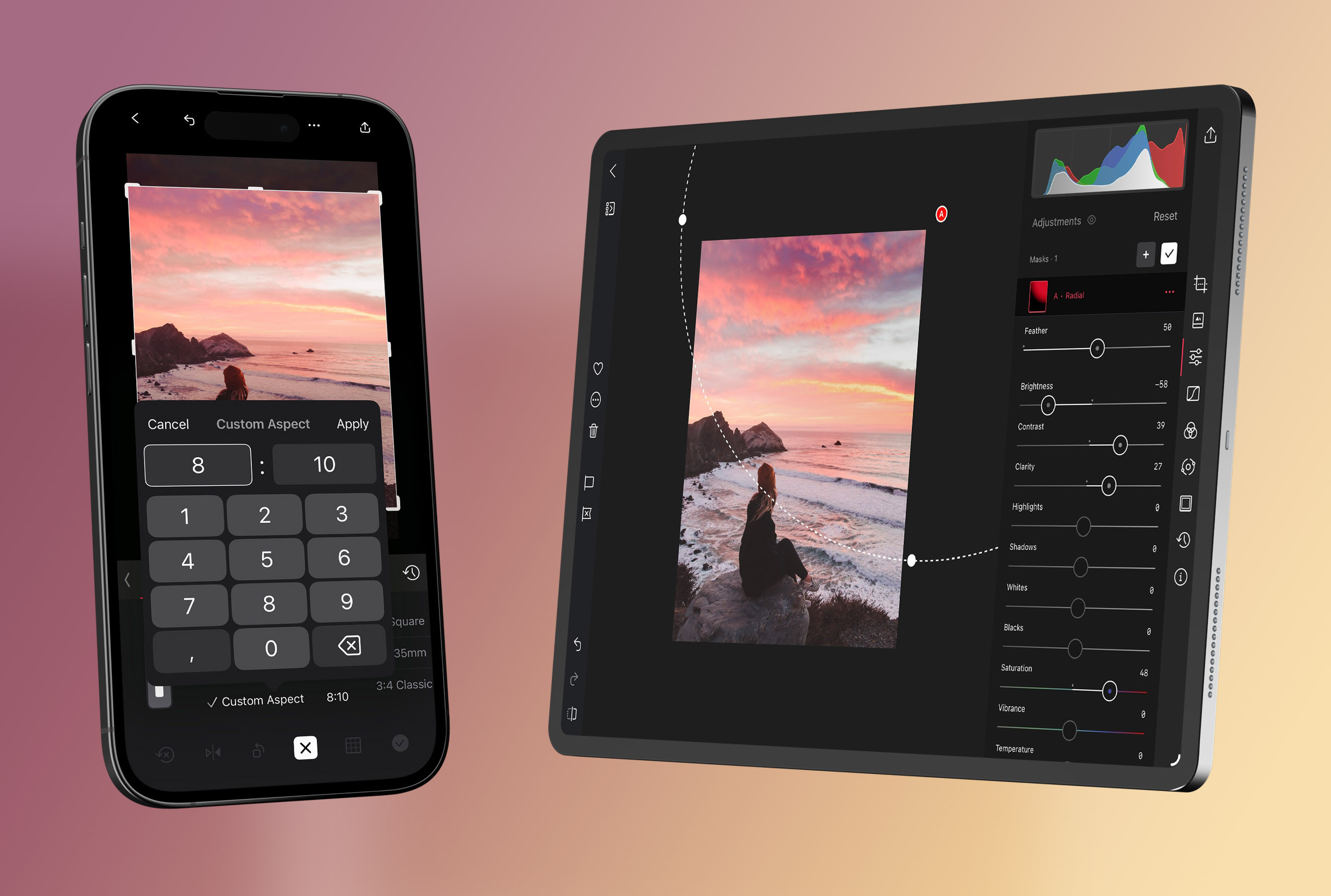
Smooth Controls
Editing should feel frictionless. With Darkroom 7, we tuned every interaction, from sliders to on-image tools, to feel more responsive, predictable, and in sync with what you see on screen. These improvements make both quick adjustments and pixel-level refinements noticeably more enjoyable.
- Fluid Sliders — The new engine delivers so much speed that we rebuilt our sliders to match it. Tools like Clarity, Highlights, and Shadows, traditionally heavy operations, now respond instantly, even when zoomed in. Subtle tweaks or dramatic changes feel precise, effortless, and always update in real time.
- Smooth On-Image Controls — Crop and Mask controls have been completely rebuilt to stay perfectly synced as you zoom, pan, rotate, or transform. No more jittery handles, delayed feedback, or controls drifting off while the image moves. Everything now behaves smoothly and predictably.
- Crop Tool Parity on iOS – The crop tool on iPhone and iPad now matches the macOS version feature-for-feature. You get a cleaner interface, custom aspect ratios, more grid overlay options, automatic grid hiding when idle, and a dense grid that appears automatically when transforming or straightening.
Brand Update #7
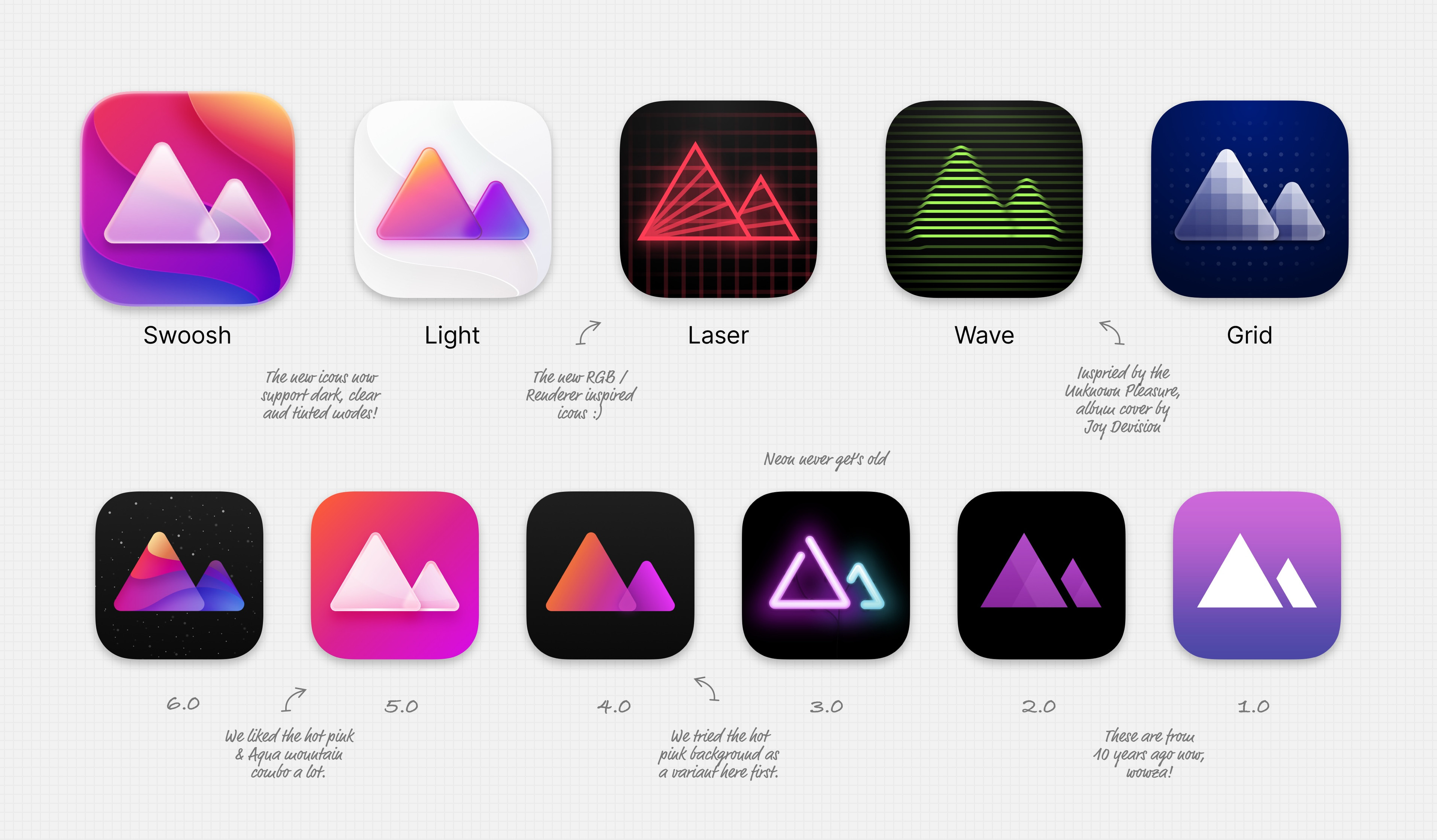
A big release deserves a bold look. True to Darkroom tradition, we’ve pushed our design maximalism even further with richer colors, deeper shading, reflecting the new depth of the app itself. We pulled the hot-pink energy of 5.0 and the fanned gradients of 6.0, then flipped the whole idea inside out. The result: our two mountain peaks, now rendered with Apple’s new Liquid Glass shaders, basking in dimensional color.
We’re also rolling out four new icon variants exclusively for Darkroom+ members. There’s the classic Light version, Liquid Glass peaks over soft, airy swooshes, plus three new designs inspired by the power of our new engine: Laser (red), Wave (green), and Grid (blue). Each one reflects a different facet of image processing. Pick your favorite and let it shine.
A New Foundation for What’s Next
Darkroom 7 represents more than a performance boost, it's a full reset of the foundation the app runs on. Which is why it took us a while to build. With this new engine, Darkroom can finally keep pace with the way people shoot today: massive RAW files, high-frame-rate video, and heavy edits. The result is an experience that feels smoother, more reliable, and far more capable than what our old engine could ever deliver.
In all honesty, we initially tried to avoid this project and focus on building new features instead. However, we decided to rebuild because the limits were becoming increasingly clear. Adding new tools on top of the old stack required workarounds and compromises that slowed us down, introduced edge cases, and made it harder to guarantee the speed and stability we want Darkroom to be known for. If you've ever experienced stutters, crashes, or jitters while editing, you know exactly what we're talking about. Rather than fighting the foundation, we replaced it, so the app can stay fast, predictable, and enjoyable for years to come.
Most importantly, this isn’t just about today’s improvements. The new engine gives us the headroom to build features we’ve wanted for a long time: more use of Machine Learning, deeper video editing tools, even more powerful color and recovery adjustments, smarter workflows, and entirely new editing capabilities we couldn’t support before. It sets the stage for the next generation of Darkroom.
You may notice a few small differences in behavior compared to the previous version, especially when working with pre-existing edits, large files, or older devices. That’s normal with a change this deep. When you do, and it's a problem, please let us know, and we'll be happy to help. We’re continuing to refine performance, polish edge cases, and shape the engine into the long-term platform it was built to be.
Thank you to everyone who spent the last four months testing the beta and sharing thoughtful, precise, and incredibly helpful feedback. This release simply wouldn’t be what it is without you. As always we're especially excited for the newly unlocked creative expression, and we can’t wait to see the imaginative results you’ll produce with them.
If there’s something you’d love to see in the future, drop it on our suggestion board or reach out to us directly by email or on social. And for the full list of fixes, improvements, and refinements included in this update, visit our Updates page.
Thank you, as always, for your continued support and enthusiasm. We have so much more coming, and we can’t wait to share it with you.
The Darkroom Team
Questions
Will my existing edits be affected by the new engine?
Most likely not. Your existing edits should perceptually be unaffected by the new engine, as we worked very hard to keep the new engine backwards compatible with your existing edits. However, if you do notice any issues, please let us know by email.

