Your photos,
ready when you are
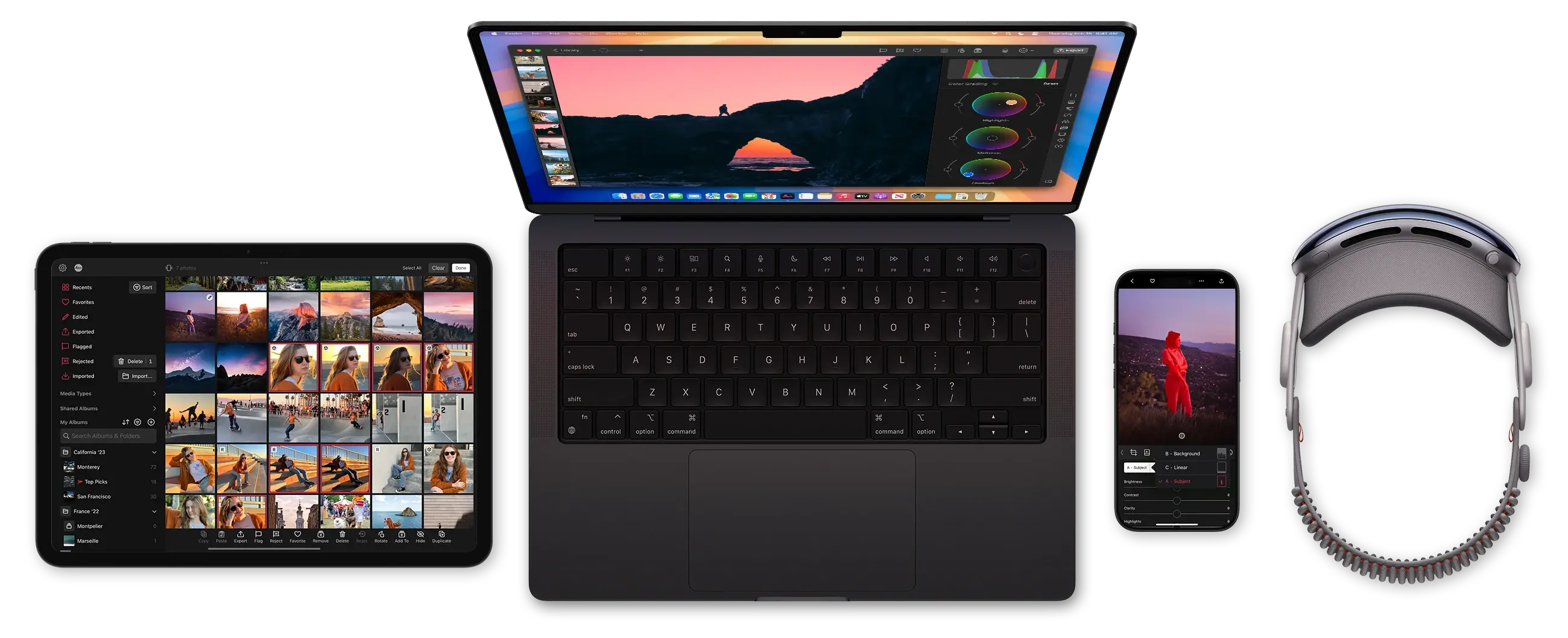
Work directly with Apple Photos—no importing, duplication, or separate catalogs.
Darkroom is designed around Apple's platforms and the photo library you already use, with professional tools that stay out of your way. See how that focused workflow compares with other popular editors.
Work directly with Apple Photos—no importing, duplication, or separate catalogs.
Shape photos, RAW, and video with powerful tools that feel fast and intuitive.
Move naturally across iPhone, iPad, and Mac with the devices and tools you already use.
Most editors can adjust exposure, color, and crop. What changes the experience is how naturally they move you from your existing library to a finished photograph. Browse the guides below to compare the workflows that matter to you.
No import, no Adobe catalog. Compare library, pricing, presets, video, and tools.
Read the comparison →
See how Darkroom extends the photo library already built into every Apple device.
Read the comparison →
Compare two native editors across presets, culling, workflow, and creative tools.
Read the comparison →
Find the right fit for mobile-first editing, studio workflows, RAW tools, and pricing.
Read the comparison →
Explore the differences in filters, photo management, editing tools, and subscriptions.
Read the comparison →
Compare a streamlined Apple workflow with a free, tool-focused mobile editor.
Read the comparison →
Pros will appreciate Darkroom’s ability to batch-edit images, open RAW files, and create custom filters. In the crowded world of photo-editing apps, Darkroom shines bright.

I can't say enough good things about Darkroom. It's fast, beautiful, powerful, and easy to understand and explore. And the team behind it keep improving the app on a regular basis.

Desktop class without the desktop. I'm really impressed — I wanted a way to edit photos directly on the iPad and I think this is what it's going to be for me.

Darkroom is one of the best apps around, with support for RAW and ProRAW photos, along with the option to edit photos in batches.

Darkroom is one of the highest-rated photo apps available for iOS users, going well beyond VSCO with its editing capabilities and offers pro-level features in a very beginner-friendly layout.

The first time you use Darkroom on your iPhone, iPad, or Mac, you’ll wonder why Apple didn’t make the Photos app this good.

All of the iPhone-specific features built into the app make it the premier editing app for iPhone photographers.

The difference is that now the app can handle video editing as gracefully as it does photo editing.

I’ve been beta testing it for the past few weeks, and it’s the best photo editor I’ve used on the iPhone.
After experiencing Darkroom, everything changed. Being able to edit directly from my camera roll, copy those edits, and batch apply them to multiple photos made the workflow simple, fast, and enjoyable again.

Darkroom is one of my favorite photo editors since it is available not only for iPhone but also for iPad and Mac.
Love how the smallest adjustments can sometimes change everything. Isn’t that what art is anyway, a mistake that creates a different something brand new?
We think Darkroom still represents the best balance of power, ease-of-use, end product, and frequent updates.

With Darkroom, just a few taps can transform your photography.

Darkroom has been my go-to editor for a few years now. The interface is smooth and intuitive, and it has all of the tools I would need.
Darkroom has been a more than amazing starter tool for photo editing. I am honestly questioning if I should even go for the Lightroom subscription — or just stick with Darkroom.
It was nice to be able to reduce the tone mapping and build the image back up with this very capable editor. Still giving you 5 stars with hope!
But with each new release, Darkroom continues to push the bar for what can be done on iOS. In every way where Lightroom CC falls short on iOS, Darkroom picks up the pieces.

It’s well worth its subscription fee — Bergen Co might have created the best photo editing app for iOS.
The grain simulation is wonderful and the fact it’s so native to iOS is a breath of fresh air. I can load RAW from my camera on my iPhone, jump into Darkroom, and edit on vacation without a laptop.
I’m glad I have the ability to edit in Darkroom on my iPhone, but the iPad is where the experience is best, which is why it’s great to have that option with the release of Darkroom 4.0.
It is very thorough for being free and feels like one of the better apps to use for editing. It can be slightly confusing when first learning it, but it is a quick learn.
Darkroom is streamlined for touching up photos and strikes a nice balance between powerful tools and usable features that makes it very approachable.
I recently moved to an iPad Pro and went looking for a go-to video editor. I’ve found it in Darkroom+ — and it’s my platform of choice for not only video, but also photos.
Darkroom has always been the iPhone and iPad photo editor that floats powerfully under-the-radar.
Love that you can do a subscription or just buy it outright. Took some getting used to coming from Lightroom, but it’s great on my iPad — very much worth it to be out of the Adobe stranglehold.
Filled out a bug report asking if there was a workaround. Got a response from one of the owners in under 24 hours with possible options to solve my problem. You can’t ask for better service than that.

Sometimes I jump back a few years in my iCloud media library and edit three or four pictures at random. That doesn't happen to me with any other photo editing app.
Install the free app on iPhone, iPad, Mac, and Vision Pro. Open your iCloud Photos without a separate import.
Try it Free