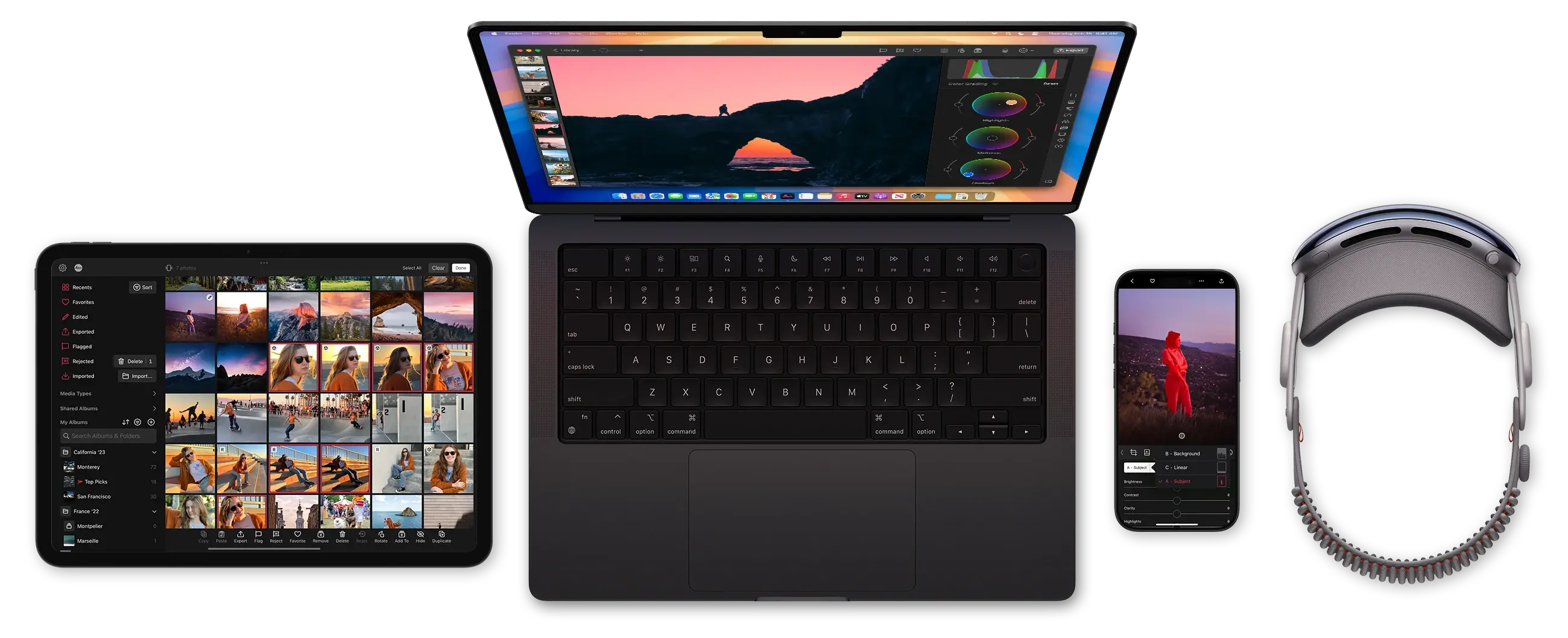
The decision stays yours
Taking a photo is a decision. So is editing: how to frame, what to brighten, what to desaturate. An AI feature is only useful when it speeds up a slow, repetitive step in your workflow. Masking an object, telling near from far, and hands it back as something you still control. In Darkroom the AI image models that read a photo run on your device. Your photos are never sent to a server, and are not used to train anything.
Magic Select Masks
Tap a person, circle a shirt, or drag a box around a tree, and Magic Select creates the mask for you. It uses Apple's segmentation model, which runs on your device. What you do with the selection is up to you.
Each mask also gets a suggested name, like shirt or tree, so you can tell them apart once you've stacked a few.

Depth Masks
Depth Anything model works out which parts of a photo are close to the camera and which are far away. That lets you edit the foreground, the background, or just a slice in between. The model ships inside Darkroom and runs on your device, even when you're offline.
A little help with words
Every shared community preset gets a one-line description of its look. Claude writes it by reading the preset's adjustments, which keeps junk and spam out of the library. A smaller Claude model answers questions in Help, using our help pages. Neither one ever trains their models on your presets, our data or your questions.
Your photos stay yours
We don’t receive your photos, we don’t store them, and we don’t train anything on them. The models that look at a photo run on your device. Claude only ever gets a preset’s settings or a question you type into Help, and Anthropic doesn’t train on that. Apple makes the same promise for its models.
Models we use
| Vision segmentationMagic Select | Apple | On device |
| Apple Foundation ModelMask names | Apple | On device |
| Depth Anything V2 SmallDepth masks | HKU and TikTok | On device |
| Claude Sonnet 4.6Preset descriptions | Anthropic | Cloud |
| Claude Haiku 5.5Ask in Help | Anthropic | Cloud |
Questions
Where do you stand on AI and creativity?
The photo is yours, and so is the edit. Models are good at the tedious part in the middle, like tracing around a person or working out what’s near and what’s far. They’re no substitute for deciding to take the picture, or deciding when an edit is done. We don’t collect your photos to train on, and we don’t generate new images from prompts.
What do AI, machine learning, and LLM mean?
Machine learning means a program learns from examples instead of following rules someone wrote by hand. AI is the broader term for software that does a job a person used to do. An LLM, or large language model, is the kind that works with words. Apple’s on-device language model and Claude are LLMs. Apple’s segmentation model and Depth Anything aren’t. They look at a photo and give back a shape, or a map of what’s near and far.
How does Magic Select work?
Tap something, draw across it, or drag a box around it. Apple’s segmentation model then follows the edges and traces around whatever looks like one object. It doesn’t need to know what the thing is called, so a dog and a lamppost work the same way. After that, Apple’s on-device language model suggests a name for the mask so it’s easy to find in the list. The name is sometimes wrong, but the outline is what matters for your edit. Hair, glass, and overlapping objects can still trip it up, and the edge tools help clean those up.
How do depth masks work?
The model estimates distance the way you do when you look at a picture. There’s no second camera or measurement involved. It looks at the same clues you would, like what overlaps what, how big things are, and what goes soft in the distance. It ranks every pixel as nearer or farther rather than measuring meters, so a poster on a wall can fool it just like a painted hallway can fool you. Portrait and ProRAW photos sometimes already have depth from the camera, and we use that when it’s there. Otherwise the estimate runs on your device.
Which models are Apple’s?
Two of them. The segmentation model behind Magic Select is part of Apple’s Vision framework, and the language model that names masks is part of Apple Intelligence. Both come with the system and are shared by every app that uses them, and your photo isn’t sent to Apple. Depth Anything V2 was made by the University of Hong Kong and TikTok, and Darkroom ships the version Apple publishes in its machine learning models. Claude is Anthropic’s, and it only works with text.
Do you see my photos?
No. Magic Select, depth masks, and mask names all run on your device, and the photo stays there. We never receive it, store it, or train on it.
Does it work offline?
Yes. Depth Anything is built into Darkroom, so depth masks never need a connection. Magic Select needs one the first time you use it, while the system downloads its model. Mask names use a language model that’s already on your device. Ask and preset descriptions live on this website, so those do need a connection.
Does this change the pixels in my photo?
No. These models only give back a selection, or a name for it. What you export is your photo with your own adjustments.
Why does Magic Select download a model?
Because the model is part of the system, not part of Darkroom. The first time any app needs it, the system downloads it once and shares it with every app after that. Depth Anything is the only model that ships inside Darkroom. Either way, your photo stays on your device.
Do I need Darkroom+?
You need it to export an edit that uses masks. You can make the mask and see the result without a membership, and Foreground and Background on Portrait photos are free. There’s more in Masks & Local Adjustments.
What do the text models do?
Claude never sees a photo. For a shared preset, it reads the settings, like the sliders and curves, and writes a single sentence. That way nobody can fill the library with junk descriptions. For Ask, it reads our help pages and answers from them, and if the pages don’t cover something, it’s supposed to say so. The other language model is Apple’s. It runs on your device and only looks at your photo to name a Magic Select mask.
Edit your iCloud Photos in Darkroom
Install the free app on iPhone, iPad, Mac, and Vision Pro. Open your iCloud Photos without a separate import.
Try it Free