
Comparing Darkroom & Photomator
If you edit your photos on Apple devices, two names that probably come up are Darkroom and Photomator. Both are beautifully made, deeply native photo editors that live right alongside your Apple Photos library. So how do you choose between them? In this post we'll walk through the differences and help you decide which one fits your workflow best.
A bit of history helps frame the comparison. Darkroom launched in 2015 and has been refined as a dedicated, mobile-first photo editor ever since. Photomator is newer to photography: it first arrived in 2019 as Pixelmator Photo, was renamed Photomator in 2023, and came from the Pixelmator team — a studio with deep roots in Photoshop-style image editing. Interestingly, over the years Photomator has adopted a number of workflow ideas Darkroom pioneered for mobile photographers, including a flag/reject-style review flow for culling and built-in watermarking.
One more thing worth knowing up front: following Apple's acquisition of the Pixelmator team in 2024, Photomator is now an Apple app. That brings real resources, but it also brings uncertainty. Apple has since folded Pixelmator Pro into its new Apple Creator Studio subscription and stopped updating the original Pixelmator for iOS, so it's genuinely unclear what the long-term plan for Photomator is. That's worth weighing before you build your editing workflow around it. Darkroom, by contrast, is independent and singularly focused on photo editing — it isn't going anywhere.
Both apps are free to download with a trial, so you can try them before committing. Let's dig into the details.
Let’s briefly introduce both applications.
Darkroom
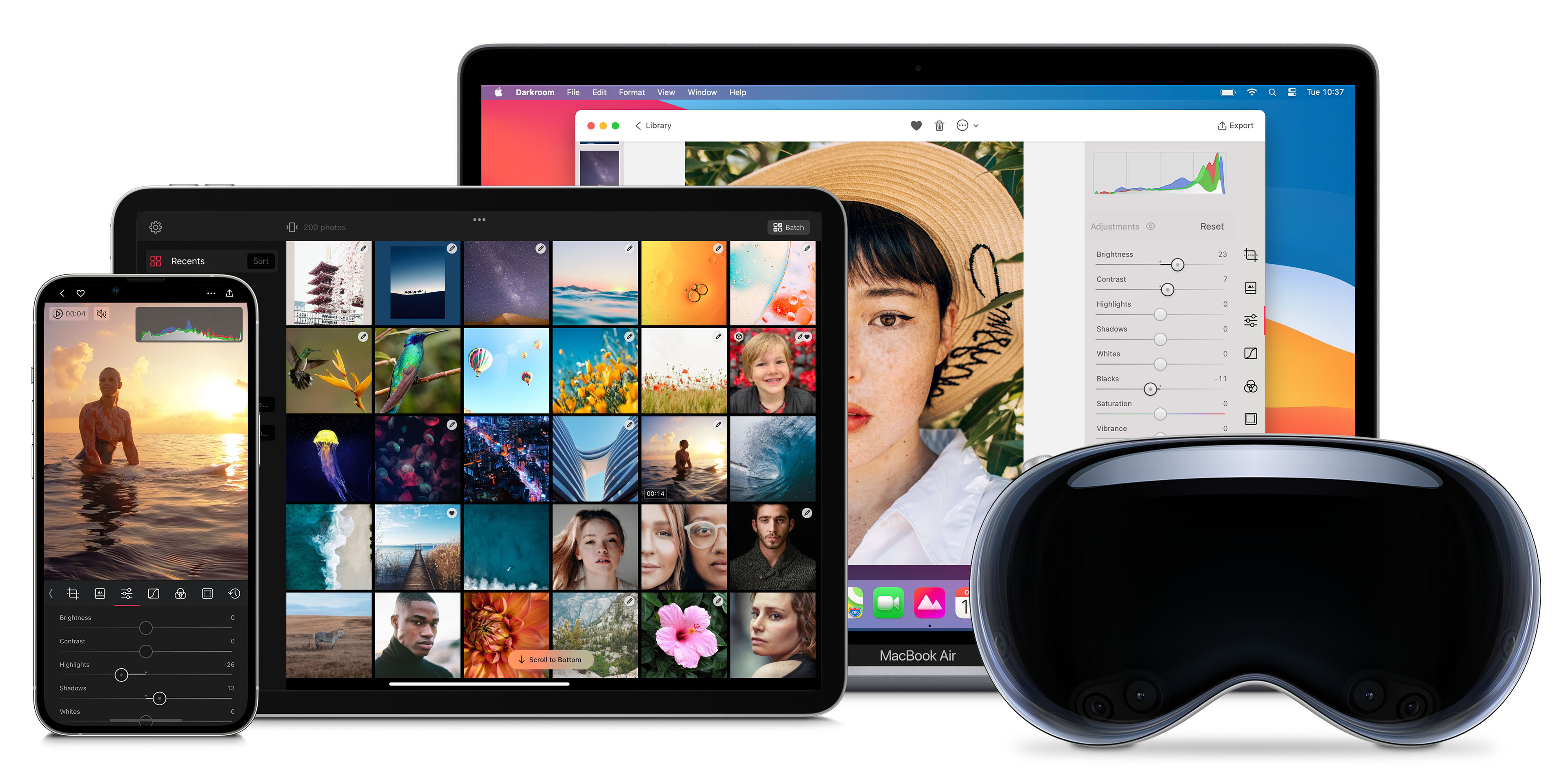
We're a small, independent business that's been around since 2015. From the beginning, we've prioritized creating an exceptional photo editing experience on Apple's platforms that's optimized for people on-the-go. We were thrilled when Apple recognized our efforts by awarding us the prestigious Apple Design Award. Now, you can use Darkroom on your iPhone, iPad, Mac, and Vision Pro and take advantage of the seamless integration with Apple's iCloud Photo Library and many other unique Apple platform functionalities.
Photomator
Photomator was created by Pixelmator, a studio founded in 2007 and well known for its powerful, Mac-native image editors. Photomator is their dedicated photo-editing app — first released as Pixelmator Photo on iPad in 2019, renamed Photomator in 2023, and built around non-destructive adjustments, RAW support, and a deep suite of machine-learning tools like ML Enhance, Super Resolution, and ML-powered repair and selections. In 2024, Apple acquired the Pixelmator team, and Photomator is now an Apple app available on iPhone, iPad, Mac, and Vision Pro. Like Darkroom, it works directly with your Apple Photos library, making it a natural fit for people already in the Apple ecosystem.
How do they compare?
Both apps are non-destructive, both are Apple-native, and both work on top of your Apple Photos library — so the real differences come down to presets, workflow, and the kinds of photos you want to make. Photomator is impressively feature-complete; Darkroom is built around getting you from capture to a finished, shareable photo as quickly and intuitively as possible. Let's begin.
Filters & Presets
This is the single biggest difference between the two apps, so let's start here. Both let you save and reuse your own looks, but Darkroom uniquely provides easy public access to thousands of quality community presets for you to share, discover, search, and install for free — right inside the apps and on the web. That includes a huge range of presets emulating analog film, as well as countless independent and creative looks made by photographers around the world, all just a tap away. Photomator includes its own presets and color presets, but it has no open community-preset ecosystem to explore and install from. If presets are central to how you edit, this alone may decide it. Here are some of the most popular analog presets in Darkroom:
Library Management & Culling
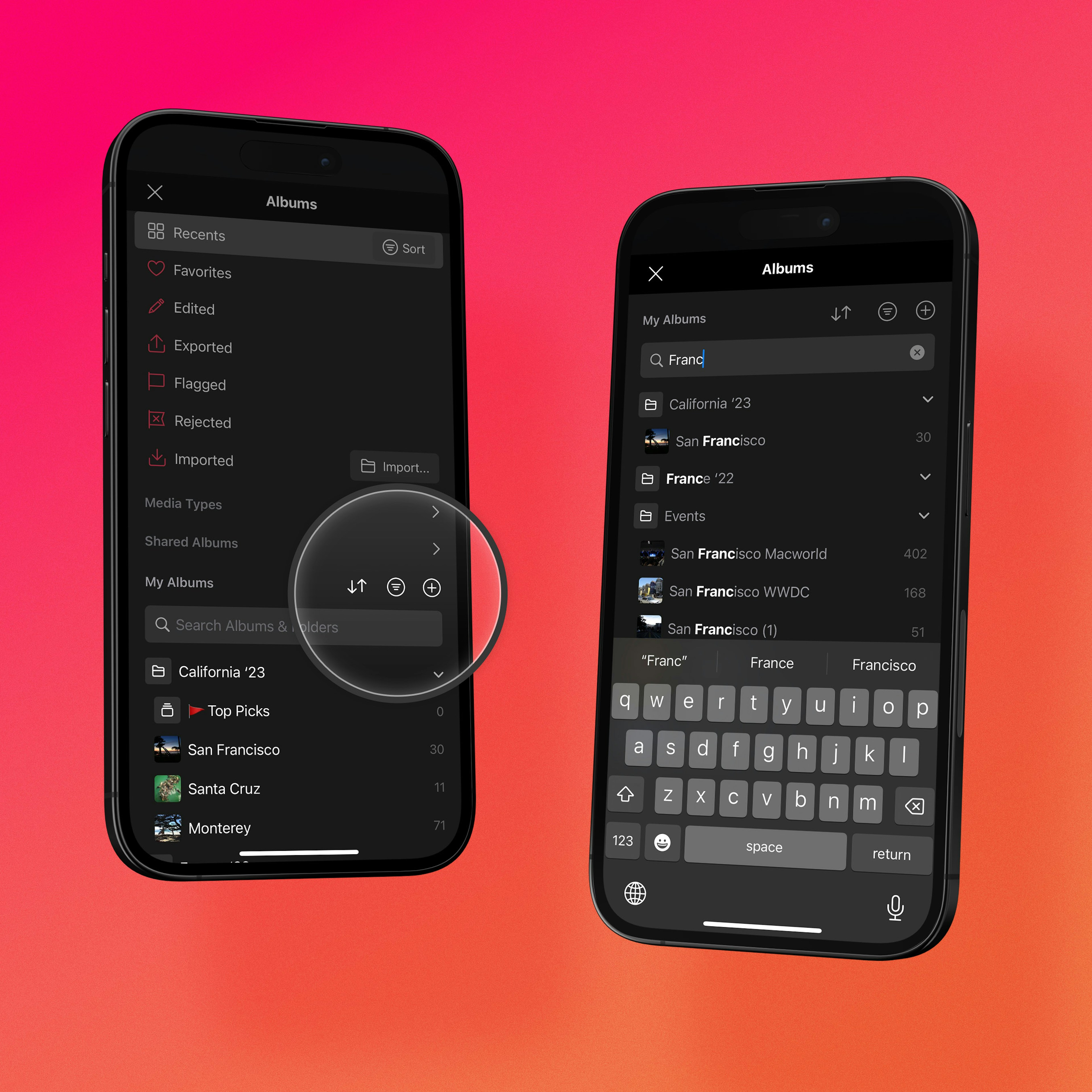
Both apps read directly from your Apple Photos library, so neither forces you to import into a separate catalog — a big advantage over apps like Lightroom or VSCO. Photomator has added library and culling features over the years too, including a review flow for picking your best shots. The difference is in how it feels. Darkroom was designed around the photographer's workflow from the start: fast flag & reject culling you can drive with a single thumb, album and folder creation, smart albums that automatically group photos by criteria like RAW or video, and search across your whole library — on iPhone, iPad, and Mac. It's less about whether the feature exists, and more about how quickly and naturally you can get through a shoot.
Editing Video
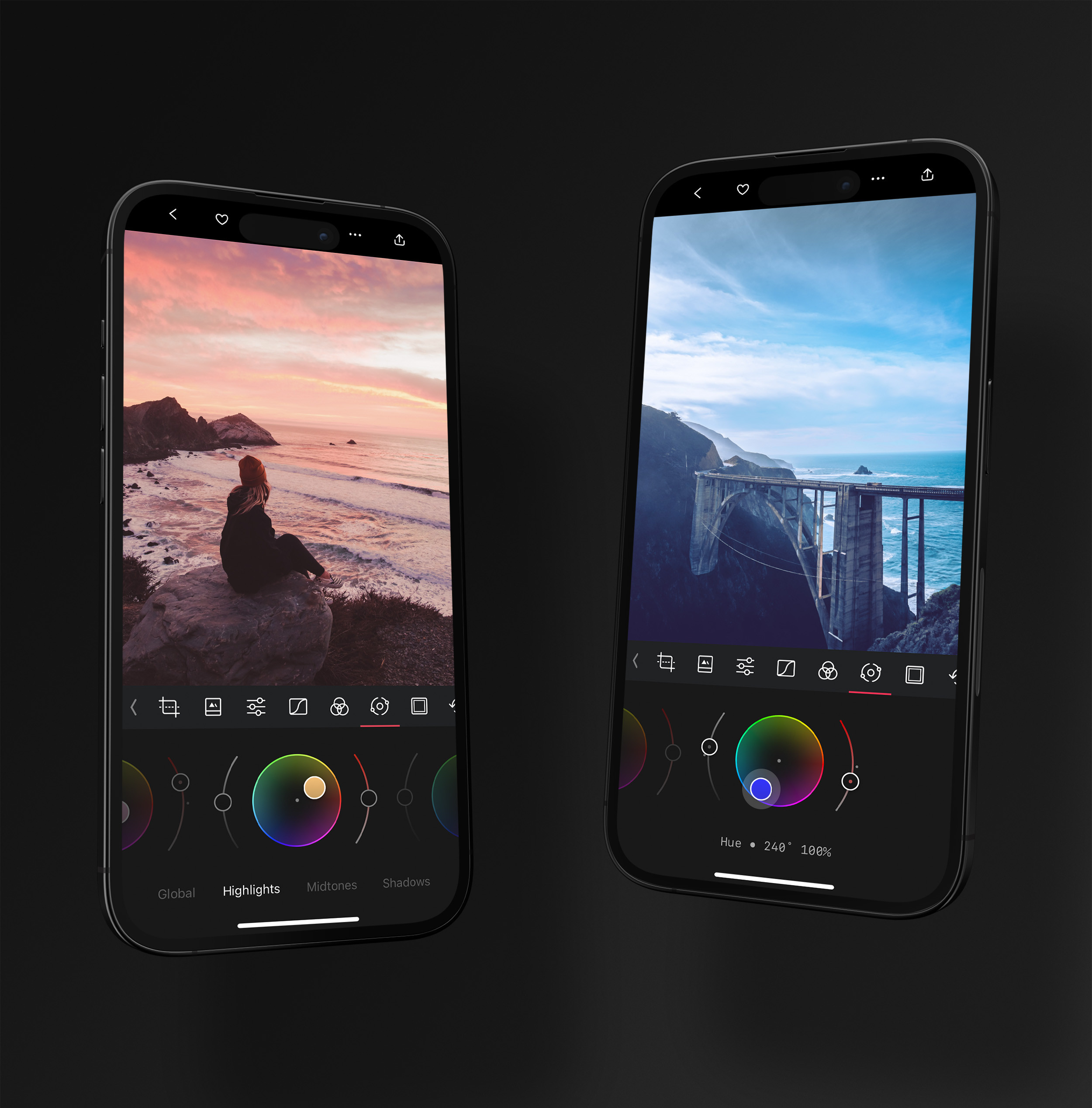
Here's something Photomator can't do at all: edit video. Darkroom lets you process your videos with the same tools as your photos — crop, adjust, color grade, apply presets, and add frames — so a clip can carry exactly the same look as the stills from the same shoot. Photomator is focused exclusively on still images. If you want a single app that handles both your photos and your clips with a consistent aesthetic, Darkroom has a clear edge.
Camera Integration & Capture-to-Edit
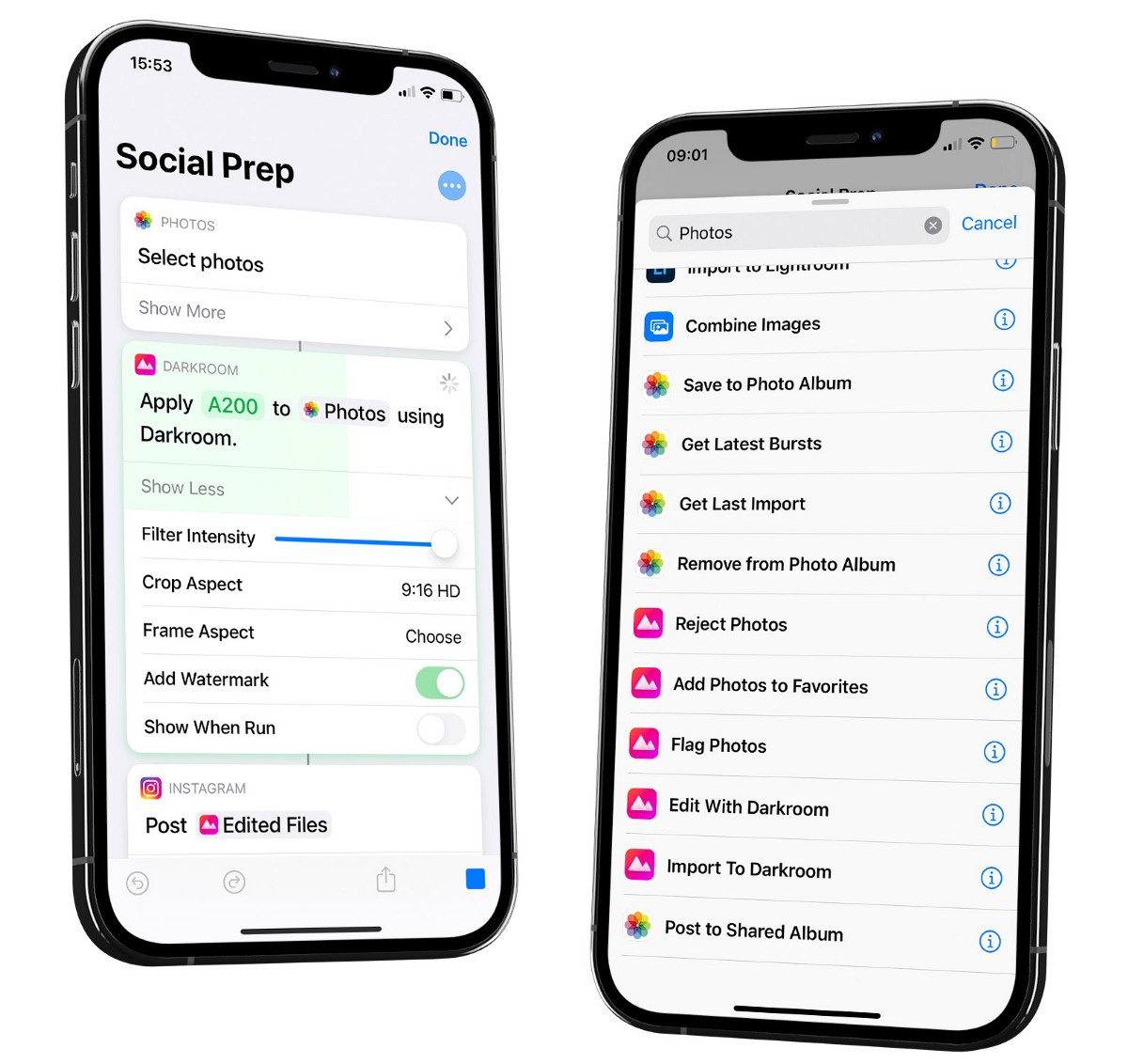
Darkroom is designed to be a hub in your photography workflow, not an island. We integrate with popular camera apps so your photos flow seamlessly from capture to edit, and we've partnered with the likes of Leica and Halide for capture, and Glass for sharing your work. These integrations make the path from pressing the shutter to posting a finished photo dramatically shorter — an area where Photomator, focused on the editing step alone, doesn't really compete.
Advanced Editing Tools
To be clear, both apps are genuinely powerful here — this isn't where Darkroom pulls ahead. Photomator has a deep, ML-driven toolkit (ML Enhance, Super Resolution, denoise, repair) and excellent RAW support. Darkroom offers its own strong set of creative tools — AI-backed masks, curves, color grading, frames, and state-of-the-art highlight and shadow recovery. If raw feature count is your only metric, both will more than satisfy you. The more meaningful question is how those tools feel to use day to day, which brings us to workflow.
Workflow & Ease of Use
This is where the two apps' different origins really show. Photomator is feature-complete, but it grew out of Pixelmator's image-editing heritage rather than a photographer's end-to-end workflow — and you can feel it. Some tasks take more steps or simply aren't as intuitive as you'd expect, and the app can feel a little involved when you just want to make a great photo quickly. Darkroom is the opposite: every interaction is tuned for speed and clarity. Its Apple Design Award specifically recognized that focus — we designed it so you can operate it using just your thumb, through explicit navigation and gestures. For editing on the go, that difference in feel adds up fast.
Independent vs. Apple-owned
Finally, it's worth being clear-eyed about who's behind each app. Photomator is now part of Apple — one of the largest companies in the world — which brings resources but also the uncertainty we mentioned at the start: it's an open question how Photomator fits into Apple's broader plans. Darkroom is the opposite: a small, independent team that has been shipping and sustaining a focused photo editor for over a decade. We answer to our community, not to a parent company's shifting product strategy. For many photographers, backing an independent app that lives and breathes photo editing every day — and that will keep showing up — is part of the appeal.
Image Quality, RAW & the Render Engine
Image quality is one area where neither app cuts corners — both offer excellent RAW support and edit your photos non-destructively. Photomator leans heavily on machine learning for its quality wins. Darkroom recently rebuilt its foundation: Darkroom 7 introduced a fully rebuilt, lossless rendering engine, the biggest under-the-hood upgrade in our ten-year history. Built natively on Metal, it keeps zooming, panning, masking, and cropping smooth even on huge RAW and ProRAW files, and because the pipeline is fully lossless, tools like Shadows and Highlights can pull back even more detail. Neither app is objectively "sharper" — but Darkroom's engine is engineered specifically for Apple hardware and the next decade of iPhone photography.
Privacy & Independence
Both apps are Apple-native and keep your photos in your Apple Photos library rather than a third-party cloud, so privacy is solid either way. The real question is who you're trusting. Darkroom never uploads your photos to our servers — your library always lives in Apple Photos and iCloud. And we're an independent team whose entire business is your photo editor — not one product line inside a much larger company. If you want an editor that stays stubbornly focused on photography, that independence matters.
Darkroom compared to other photo editors
Curious about how Darkroom stacks up against other popular photo editors? Explore these in-depth comparisons to see which tool best fits your creative needs.
Comparing Darkroom & Lightroom
Discover how Darkroom and Lightroom compare, with an overview of their key features, pricing, and what sets each app apart.
Comparing Darkroom & Capture One
See how Darkroom and Capture One compare, from RAW editing and pricing to workflow and platform support.

Comparing Darkroom & VSCO
Comparing Darkroom and VSCO, providing an overview of each app and their key differences, features, and pricing.
Comparing Darkroom & Snapseed
Explore the differences between Darkroom and Snapseed, including their features, pricing, and overall user experience.
Comparing Darkroom & Apple Photos
See how Darkroom and Apple Photos compare, and how Darkroom adds pro editing tools on top of the library you already use.

The verdict: which should you choose?
Both are excellent, genuinely Apple-native editors, so you won't go wrong either way. Here's the honest breakdown:
- Choose Photomator if you want a deep, machine-learning-heavy toolkit and don't mind a more involved, image-editor-style interface — and you're comfortable with its uncertain long-term direction under Apple.
- Choose Darkroom if you want thousands of free community presets, the fastest capture-to-share workflow, video editing alongside your photos, and an independent team that's been singularly focused on this for a decade.
And here's the low-risk part: because Darkroom edits your Apple Photos library directly, there's nothing to import, upload, or migrate. Download Darkroom for free, open it, and your entire library is already there — you can see how it feels in about two minutes.
Pricing Comparison
Both apps are free to download and let you try before you buy. Photomator is available with a monthly or yearly subscription, or a one-time lifetime license. Darkroom offers similar flexibility — a genuinely capable free tier, an affordable subscription, and a one-time purchase option — so you can pick the model that suits you rather than being pushed toward a recurring plan. Combined with the free community preset ecosystem and the reassurance of an independent team that's been here for a decade, Darkroom gives you a lot of room to grow. If you want a powerful, Apple-native editor that's easy to try, fast to use, and built around the way photographers actually work, Darkroom is well worth considering.
Affordable Memberships
Go premium with Darkroom+ and enjoy full creative control while editing.
Yearly
$3.33/month · Save 67%
Full access with a free trial and Family Sharing. Our most popular plan.
Start TrialMonthly
$119.88/year · Billed monthly · No trial
Full access with the flexibility to cancel anytime.
SubscribeOne Darkroom+ membership unlocks iPhone, iPad, Mac, and Vision Pro. Full access for a fraction of a Lightroom subscription — or pay once and own it. Compare Darkroom with other editors →
Frequently Asked Questions
Is Darkroom free to try?
Yes. Darkroom is free to download and includes a genuinely capable free tier. If you want the full set of tools, Darkroom+ is available as an affordable subscription or a one-time purchase, so you are never forced into a recurring plan.
Do I need to import my photos to use Darkroom?
No. Darkroom is built directly on top of your Apple Photos library, so every photo you own is ready to edit the moment you open the app. There is nothing to import, upload, or migrate.
Can I use Darkroom and Photomator together?
Yes. Both apps read from the same Apple Photos library, so you can edit a photo in one and continue in the other. Many people use Darkroom as their main editor and keep other apps around for specific tasks.
Does Darkroom edit non-destructively?
Yes. Your original is always preserved, and you can revisit or undo any individual adjustment at any time, on any of your devices.
What happens to Photomator now that Apple owns it?
For now, Apple keeps Photomator available as a separate App Store purchase, while Pixelmator Pro has moved into Apple Creator Studio and Pixelmator for iOS is no longer updated. Apple has not detailed Photomator's long-term roadmap, which is worth keeping in mind. Darkroom, by contrast, is independent and singularly focused on photo editing.

