
Comparing Darkroom & Capture One
If you're serious about photography, you've almost certainly heard of Capture One — the professional-grade RAW editor long favored by studio and commercial photographers. And if you edit on your iPhone, iPad, or Mac, you may be weighing it against Darkroom. These two apps come from very different worlds: one is a desktop-first professional powerhouse, the other an award-winning, mobile-first editor built around speed and your Apple Photos library. In this post we'll look at how they compare and help you decide which one fits your needs.
For one, most people now use their iPhone as their primary camera. Darkroom is built directly on top of Apple's iCloud Photo Library, so all of your photos are ready for you to start editing immediately after capture. We even integrate with popular camera apps to make the workflow from capture to edit as quick and smooth as possible. So, you won't have to import or upload anything, and you won't have to manage a separate catalog. Capture One, by contrast, is built around importing your photos into catalogs or sessions — a powerful model for professional shoots, but a heavier workflow for everyday editing.
Capture One is available on macOS and Windows, and more recently on iPhone and iPad, while Darkroom is exclusive to Apple devices. So if you're a Windows photographer, Darkroom isn't an option. But if you're an Apple customer — as many mobile photographers are — Darkroom offers an interface focused on reducing taps and maximizing workflow efficiency, making it ideal for editing on the go. Capture One, with its deep array of professional tools, caters to studio and commercial photographers, with a price tag to match.
Ultimately, the choice depends on your needs. Both apps let you try before you buy, so whether you're a working professional or someone who loves taking photos, each offers its own strengths. Let's get into them.
Let’s briefly introduce both applications.
Darkroom
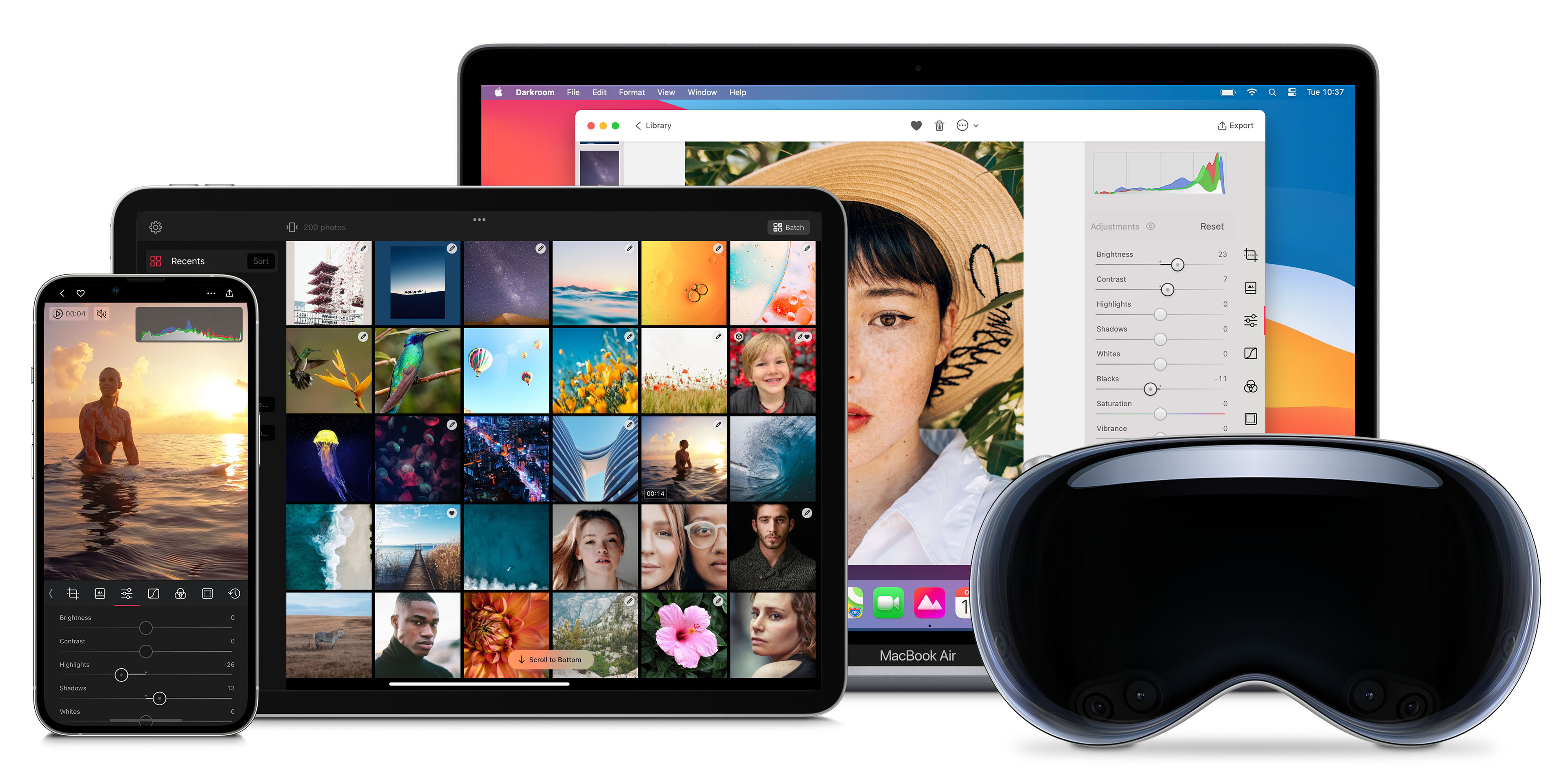
We're a small, independent business that's been around since 2015. From the beginning, we've prioritized creating an exceptional photo editing experience on Apple's platforms that's optimized for people on-the-go. We were thrilled when Apple recognized our efforts by awarding us the prestigious Apple Design Award. Now, you can use Darkroom on your iPhone, iPad, Mac, and Vision Pro and take advantage of the seamless integration with Apple's iCloud Photo Library and many other unique Apple platform functionalities.
Capture One
Capture One (formerly developed by Phase One) has been a fixture of professional photography for over two decades. It's renowned for its exceptional RAW conversion, precise color tools, advanced layers and masking, and industry-leading tethered capture — the ability to shoot straight into the app from a connected camera. It supports hundreds of cameras with tailored color profiles, runs on macOS and Windows, and now also offers an iPhone and iPad app. It's a desktop-first, catalog-based tool built for studio, commercial, and high-volume workflows, and it's priced accordingly. If you need the deepest possible control over RAW files and tethering in a studio setting, Capture One is a serious contender.
How do they compare?
Let's take a closer look at the differentiating features and pricing of Darkroom and Capture One, to help you decide which app fits your photo editing needs. Let's get started.
A Single Photo Library
Darkroom has a clear advantage when it comes to managing your photo library day to day. Because Darkroom is built directly on top of Apple's iCloud Photo Library, all of your photos are always ready to edit the moment you capture them — no importing or uploading into a second, separate library. Capture One uses catalogs and sessions, which give professionals powerful organization for client shoots but require you to import your images first. For everyday and on-the-go editing, Darkroom's no-import approach is dramatically faster.
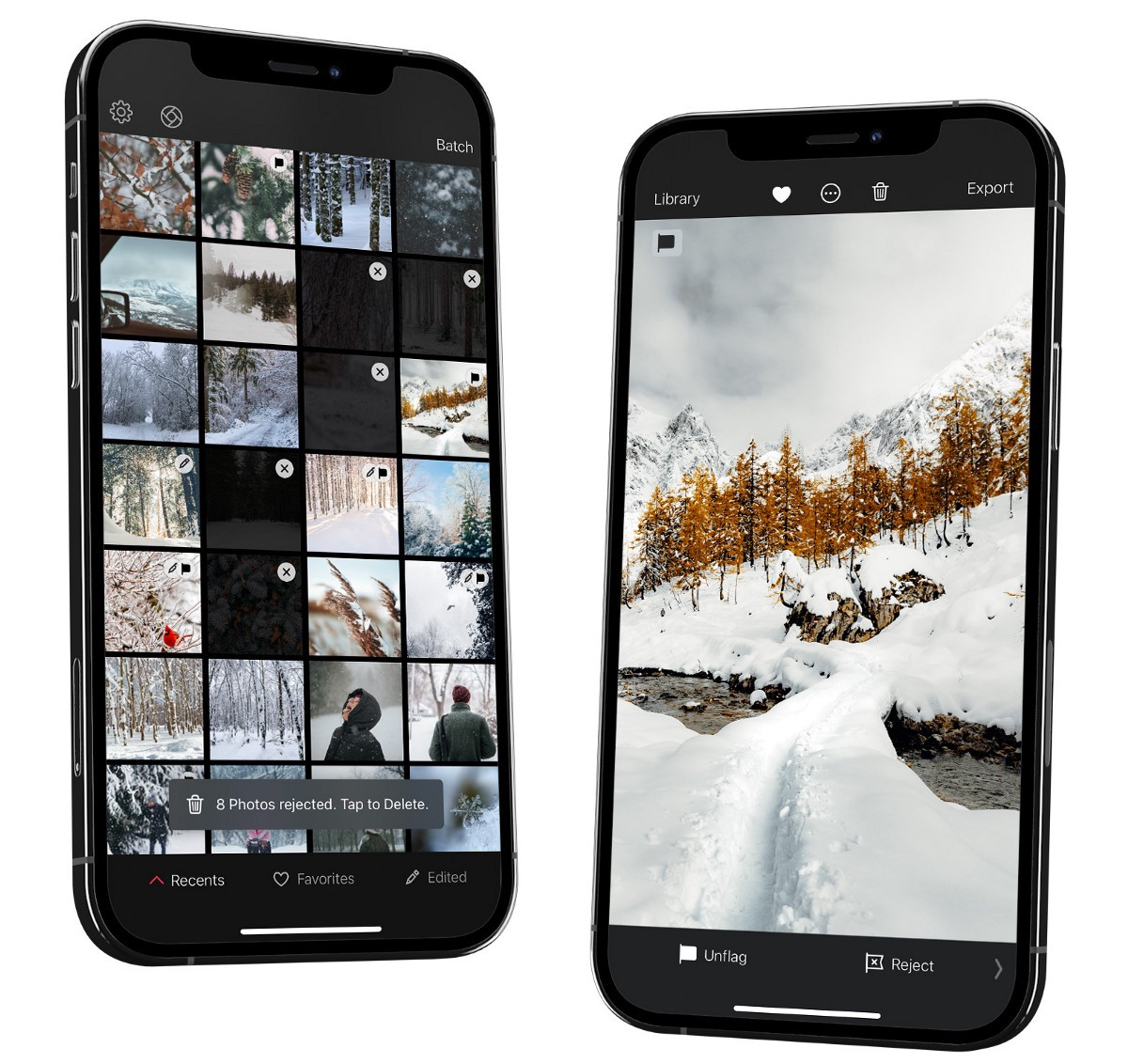
At Darkroom, we believe library management is a key part of creating great photos. Importing and organizing photos can be time-consuming and frustrating, so we've made it as effortless as possible. Our app is built with busy photographers in mind, designed to help you edit quickly and efficiently on the go.
Workflow Efficiency First
Darkroom was built with on-the-go photographers in mind. Our mobile-first origin and workflow-optimized interface are designed to help you edit your photos quickly and efficiently with as few taps as possible. We designed Darkroom specifically so you can operate it using just your thumb through explicit navigation and gestures — try finding another photo editor that does that! You can cull trip photos on the go using Flag and Reject, since all your photos are ready to go and don't need importing.
Capture One originated in a desktop, studio-first era. It's extraordinarily capable, but that power comes with a steeper learning curve and an interface optimized for a mouse, a large display, and a deliberate, considered workflow — not for quickly editing a handful of shots from your pocket.
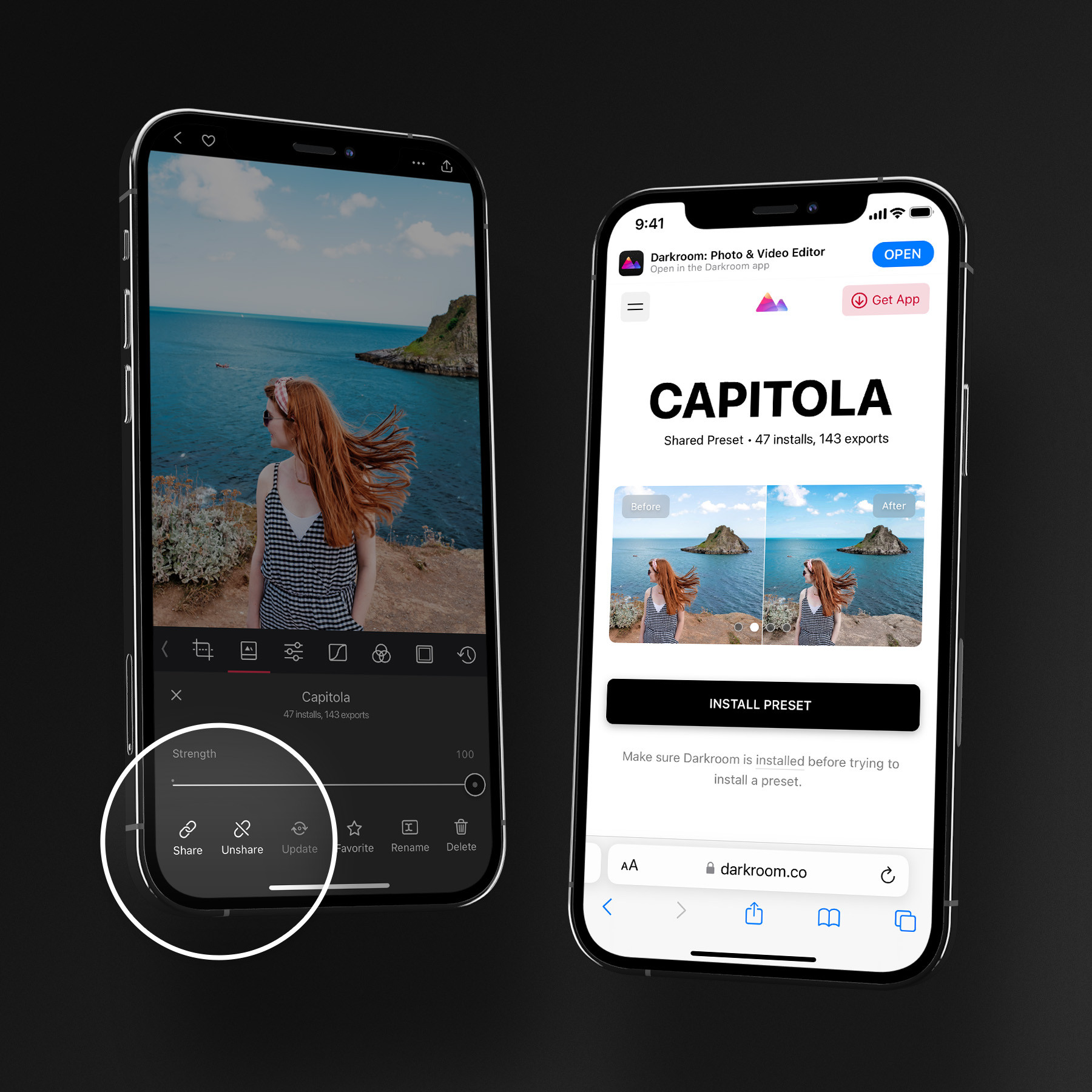
And in Darkroom, you can easily discover, search, install, and even share your own presets using a simple shareable link — without having to create, manage, and import old-fashioned style files. Darkroom also offers a unique Frames tool that lets you export any photo inset on a Stories aspect ratio background, with colors matched to tones from your photo.
Filters & Presets
Filters and presets are a popular feature in photo editing apps. Capture One offers professionally crafted Styles, many of which are sold as paid packs, and you can build and save your own. Darkroom takes a more open approach: alongside your own custom presets, Darkroom uniquely provides easy public access to thousands of quality community presets for you to discover, search, and install for free — right inside the apps and on the web. That includes many presets emulating analog film, as well as countless independent and creative looks. Here are some of the most popular analog presets in Darkroom:
Advanced Editing Tools
Let's be fair: Capture One is one of the most capable RAW editors ever made, with renowned color editing, layers, and best-in-class tethering for studio work. Darkroom doesn't try to replace a tethered studio rig — instead, we focus on giving photographers powerful, refined tools that feel effortless on Apple devices.
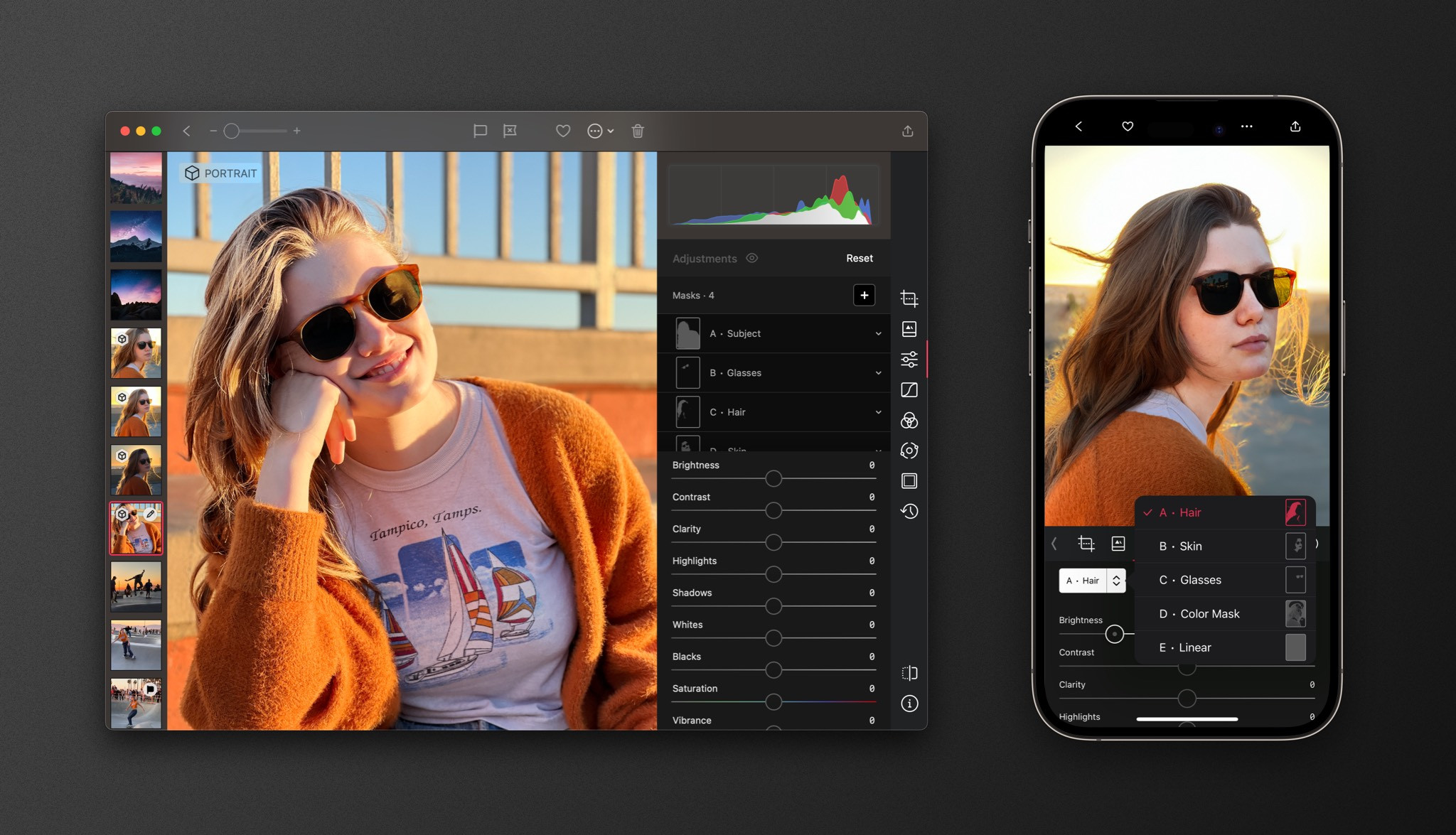
Advanced Masking — Darkroom has advanced masking options that allow you to edit specific parts of your photo with precision. You can use smart masks powered by AI and machine learning to easily select and edit just the foreground or background, the skin or hair on a portrait. Additionally, linear and radial masks are available, and you can even make selections based on depth, luminance, and color ranges.
Shadow & highlight Recovery — Our shadow and highlight recovery tools are at the cutting edge of the industry – for both JPGs and RAWs. And we don't say that lightly! We're a small, independent business, and we put our hearts and souls into making sure every feature is the best it can be. We don't cut corners or settle for "good enough." If we think it's worth doing, we do it right.
Color Grading — We aren't afraid to try new things and incorporate tools from other domains like video editing. One example of this is our color grading feature. It provides a compact and intuitive interface that makes it easy to develop a unique look for your photo. If you're looking for a photo editing tool that's both powerful and easy to use, give us a try!
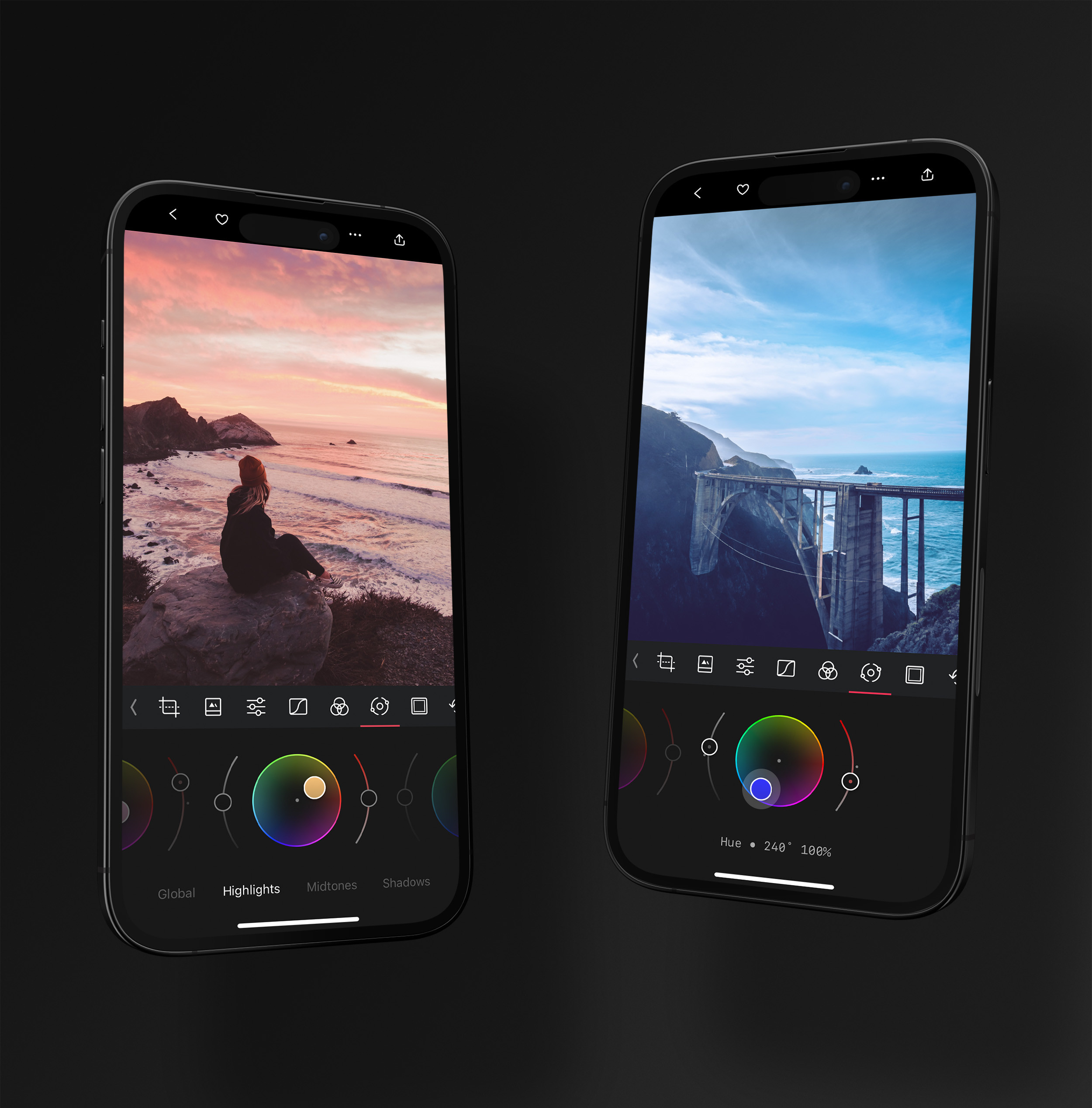
Video — Darkroom even allows you to process your videos with the same tools as your photos! You can crop, adjust, color grade, apply presets, and add frames to your videos just as easily as you can with your photos. Capture One is focused exclusively on still images, so if you want a single app that handles both your photos and your clips with a consistent look, Darkroom has a clear advantage.
Native to Apple
Darkroom started off on iPhone, expanded to iPad, then came to the Mac, and is even available in Vision Pro with our compatible iPad app. Each version is tailored specifically to that platform. We owe a lot of our success to Apple, who made a wealth of technology and tools available to us as an independent software developer. We love the Apple software ecosystem, and we prioritize deep integration with it to provide super-tight, efficient workflows. We use cutting-edge technology like Metal hardware-accelerated rendering, leverage Apple's AI and machine learning advances, and support features like Shortcut Automation for batch processing — a level of platform integration that desktop-first, cross-platform apps like Capture One generally don't match.
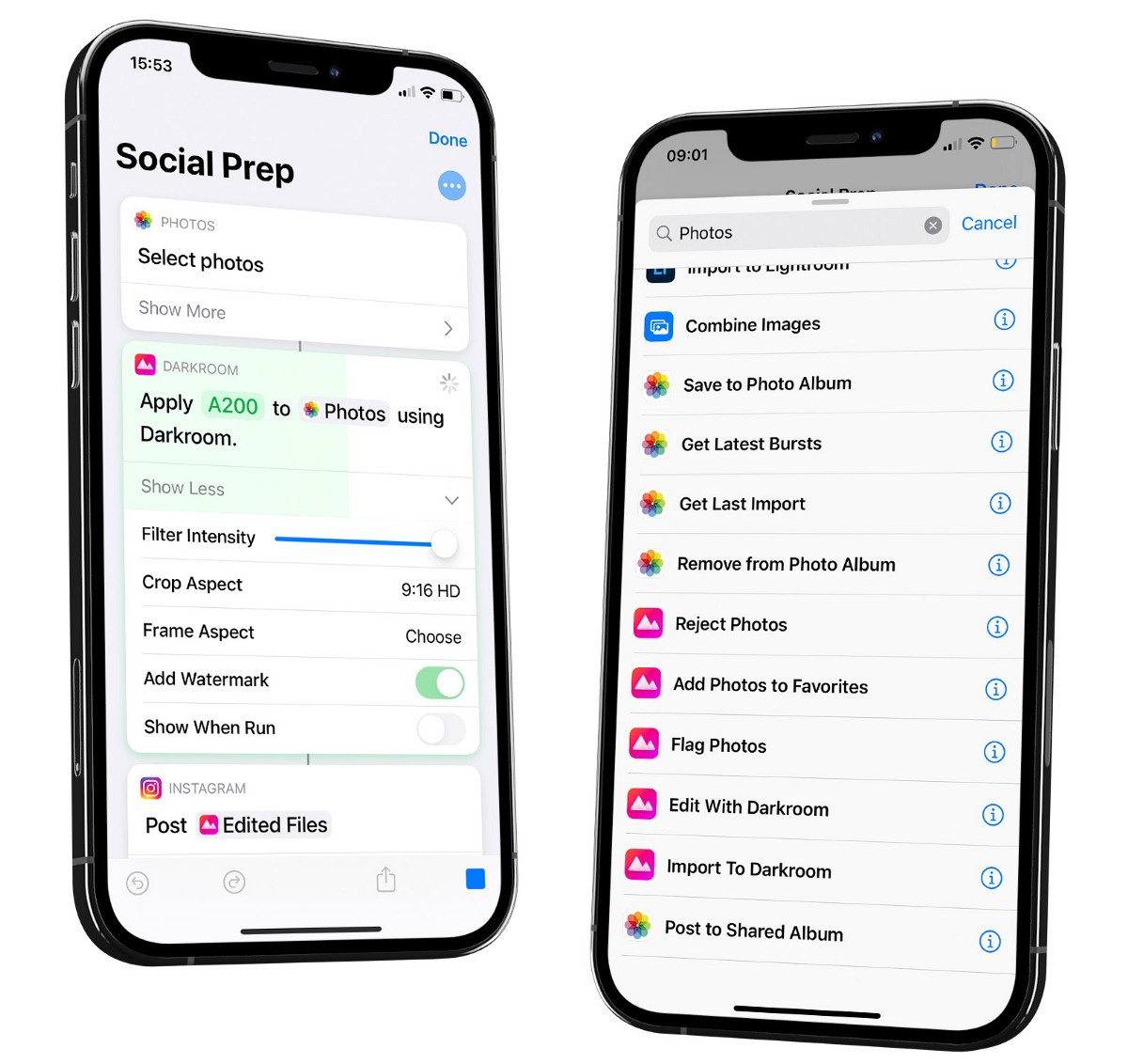
Image Quality, RAW & the Render Engine
Let's be honest: Capture One has a deserved reputation for class-leading RAW conversion and color, and for tethered studio work it's a benchmark. Darkroom isn't trying to win a lab test against a desktop RAW powerhouse. What we will say is that we take image quality seriously — Darkroom 7 shipped a fully rebuilt, lossless rendering engine, built natively on Metal, that handles large RAW and ProRAW files smoothly and, because it's fully lossless, lets Shadows and Highlights recover even more detail. For the overwhelming majority of photographers shooting on iPhone and Apple cameras, Darkroom delivers beautiful, high-fidelity results without a desktop, a catalog, or a tethering rig.
Privacy & Your Library
Darkroom keeps your photos in your Apple Photos library — on your devices and iCloud, never uploaded to our servers. Capture One requires you to sign in and keep a license validated online (roughly every 30 days), and its catalog-based model means another copy of your workflow to manage. If you'd rather edit without handing your photos to a separate cloud or catalog, that's the Darkroom approach.
Darkroom compared to other photo editors
Curious about how Darkroom stacks up against other popular photo editors? Explore these in-depth comparisons to see which tool best fits your creative needs.
Comparing Darkroom & Lightroom
Discover how Darkroom and Lightroom compare, with an overview of their key features, pricing, and what sets each app apart.
Comparing Darkroom & Photomator
Explore the differences between Darkroom and Photomator, including their features, pricing, and overall user experience.

Comparing Darkroom & Snapseed
Explore the differences between Darkroom and Snapseed, including their features, pricing, and overall user experience.
Comparing Darkroom & VSCO
Comparing Darkroom and VSCO, providing an overview of each app and their key differences, features, and pricing.
Comparing Darkroom & Apple Photos
See how Darkroom and Apple Photos compare, and how Darkroom adds pro editing tools on top of the library you already use.

The verdict: which should you choose?
These two genuinely serve different photographers, so this one is fairly clear-cut:
- Choose Capture One if you shoot tethered in a studio, need the deepest possible RAW and color control, manage large client catalogs, or work on Windows. It's a professional tool, and it earns its price for that work.
- Choose Darkroom if you shoot primarily on iPhone or Apple cameras and want a fast, beautiful, no-import editing experience across iPhone, iPad, and Mac — with thousands of free presets, video editing, and a price that won't sting.
To be upfront: Darkroom is not a tethered-capture tool or a digital-asset manager for tens of thousands of client images — that's Capture One's turf, and we're happy to point you there if that's your world. But if your photos live in your Apple Photos library, the best way to decide is to just try it. There's nothing to import or migrate, so you can download Darkroom for free and start editing your real photos in about two minutes.
Pricing Comparison
To be direct, Capture One is a premium professional tool with a premium price. It's offered through subscription tiers — desktop Pro, an All-in-One plan that adds the iPhone and iPad app, and a Studio plan for high-volume studios — as well as a one-time perpetual license for the desktop app. Darkroom is far more approachable: a genuinely capable free tier, an affordable subscription, and a one-time purchase option, plus thousands of free community presets. For working studio professionals who need tethering and the deepest RAW controls, Capture One earns its price. But for the many photographers who want a powerful, refined editor that won't break the bank and is a joy to use on the go, Darkroom is definitely worth considering.
Affordable Memberships
Go premium with Darkroom+ and enjoy full creative control while editing.
Yearly
$3.33/month · Save 67%
Full access with a free trial and Family Sharing. Our most popular plan.
Start TrialMonthly
$119.88/year · Billed monthly · No trial
Full access with the flexibility to cancel anytime.
SubscribeOne Darkroom+ membership unlocks iPhone, iPad, Mac, and Vision Pro. Full access for a fraction of a Lightroom subscription — or pay once and own it. Compare Darkroom with other editors →
Frequently Asked Questions
Is Darkroom free to try?
Yes. Darkroom is free to download and includes a capable free tier. Darkroom+ is available as an affordable subscription or a one-time purchase, so you are not locked into a recurring plan.
Do I need to import my photos or build a catalog?
No. Unlike Capture One's catalogs and sessions, Darkroom edits your Apple Photos library directly. Every photo is ready to edit instantly, with nothing to import or migrate.
Does Darkroom support RAW and ProRAW?
Yes. Darkroom edits RAW and ProRAW non-destructively, and its rebuilt, fully lossless rendering engine lets Shadows and Highlights recover even more detail from those files.
Can Darkroom do tethered capture?
No. Darkroom is built for editing your photo library on Apple devices, not for tethered studio capture. If tethering is central to your work, Capture One or a desktop-focused tool is the better fit.

