Frames
Frames started as a way to post a non-square photo to Instagram without an awkward crop, and the humble white border never went away. Darkroom's Frame tool takes that instinct and turns it into real creative expression: a frame controls the context your photo is viewed in, letting you extend its natural edges, make its key colors pop, or simply fit it cleanly to whatever platform it's headed for. You'll find Frames in the Edit view toolbar; toggle it on and off to compare instantly.
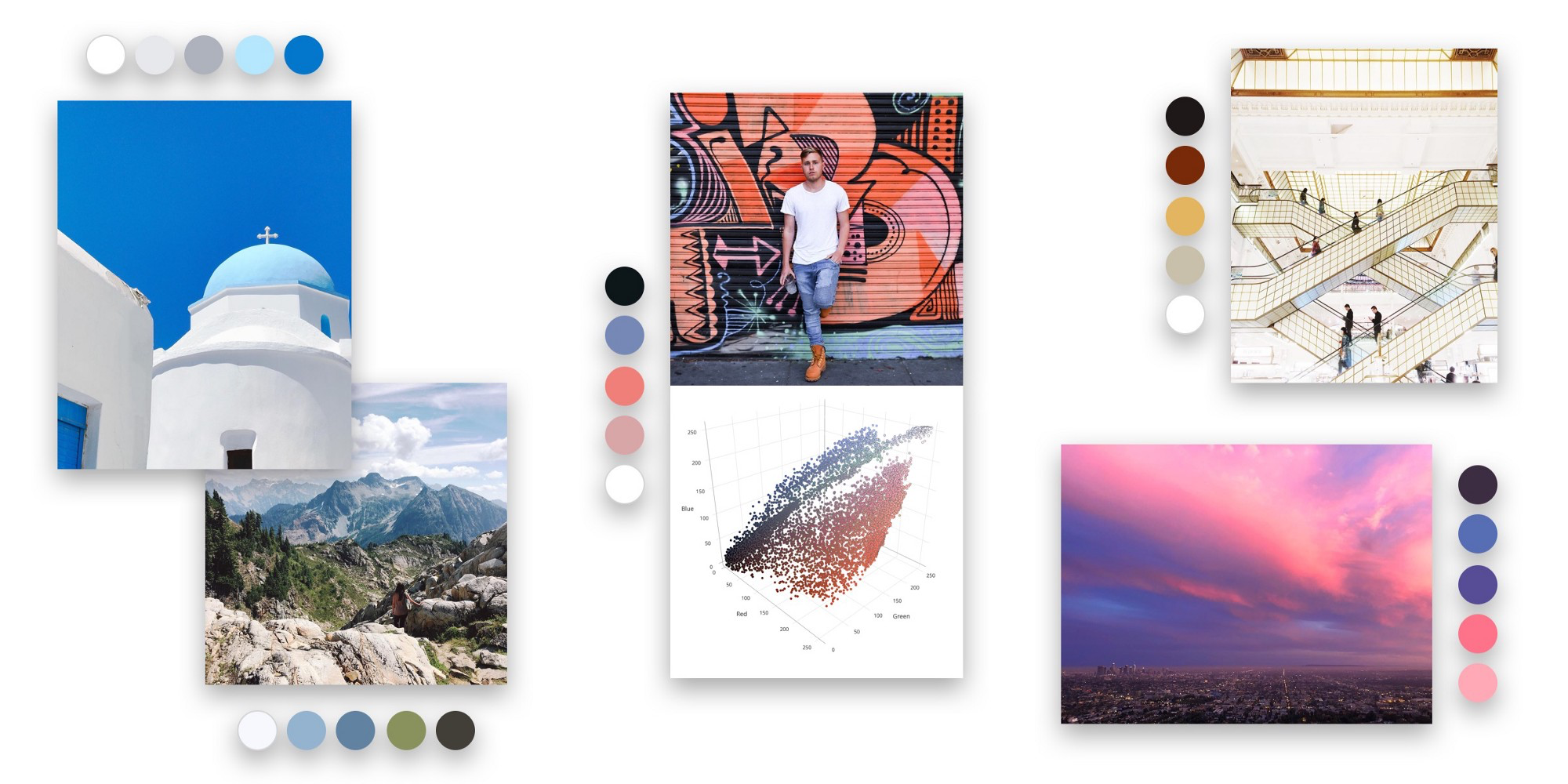
Color sets the mood
The color of a frame has an outsized effect on how the eye reads the colors inside it. Beyond white and black, Darkroom analyzes your photo and suggests content-aware colors — a curated palette drawn from the image itself, one tap away. Pick a hue that extends the natural edges of the scene for a seamless look, or one that picks up a key color to make it sing. White borders brighten and add air; black borders tend to deepen perceived contrast.
Inset and ratio for every destination
Just as important as color is size. The inset sets how much breathing room surrounds the image, and the ratio presets target where it's going: 9:16 for Snapchat and Instagram Stories, 4:5 for Instagram portrait, 2:1 for a social-post card, or square for the classic feed. Smaller insets feel modern and minimal; larger ones feel editorial and print-inspired.
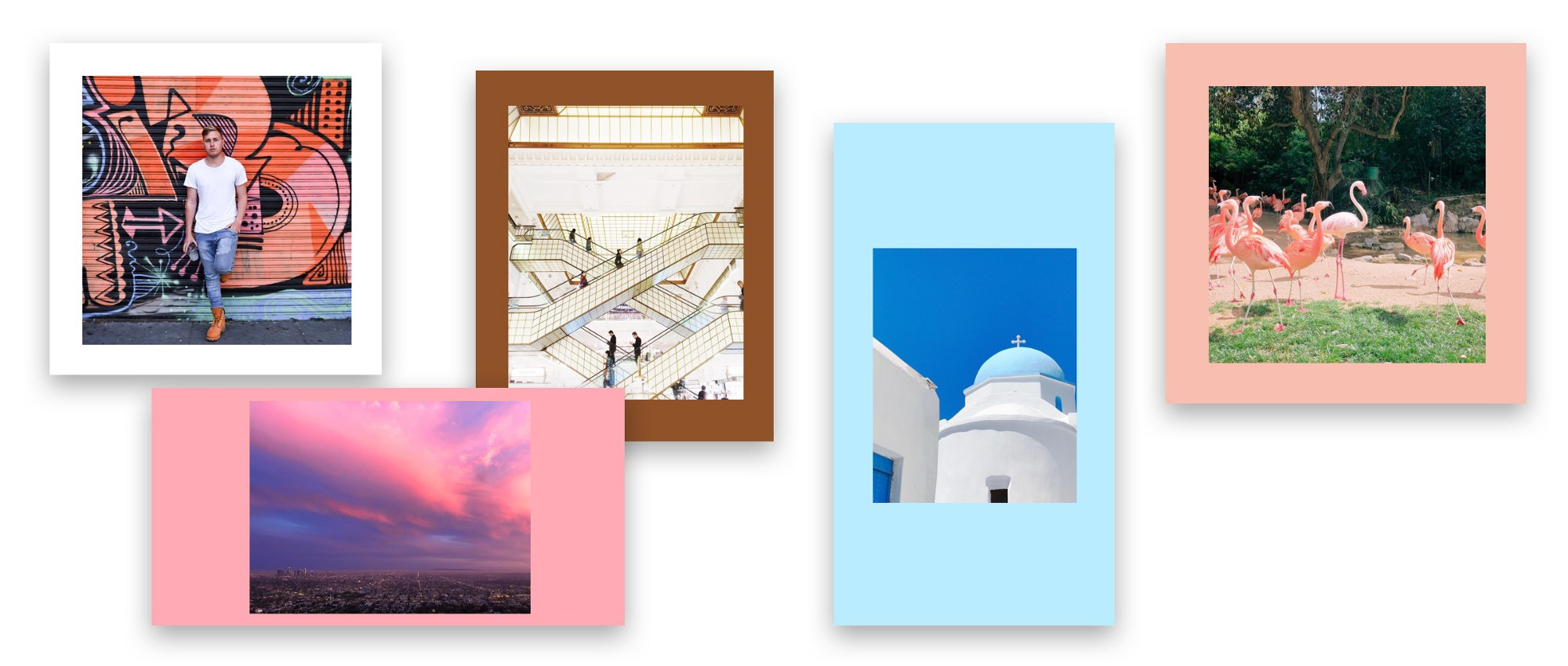
The inset slider remembers your last value, which is the secret to a cohesive set — apply the same border across a whole batch and your exports stay visually consistent. Frames are included on export, and the inset presets are available right from the export flow, even in batch.
Where it sits in your workflow
Frames are applied after the crop in the render pipeline, so finalize your composition in Transform first, then add the frame as a finishing layer. If you want a repeatable presentation style, pair a frame and ratio with a preset so every export in a series matches.
Related
- Content-Aware Frames — the thinking and technology behind the tool
- Crop, Rotate, and Transform — finalize composition before framing
- Export Settings — frame and inset options at export time