Video
In Darkroom, video feels as light as a photo. Videos autoplay, loop, zoom, crop, and every edit renders in real time — no timeline wrangling, no separate library, no import step. Because Darkroom plugs straight into your iCloud Photo Library, the thirty clips sitting on your phone are ready to edit the moment you open one, and you grade them with your favorite community presets. That's the real benefit: one visual language across your stills and your motion, so a set holds together.
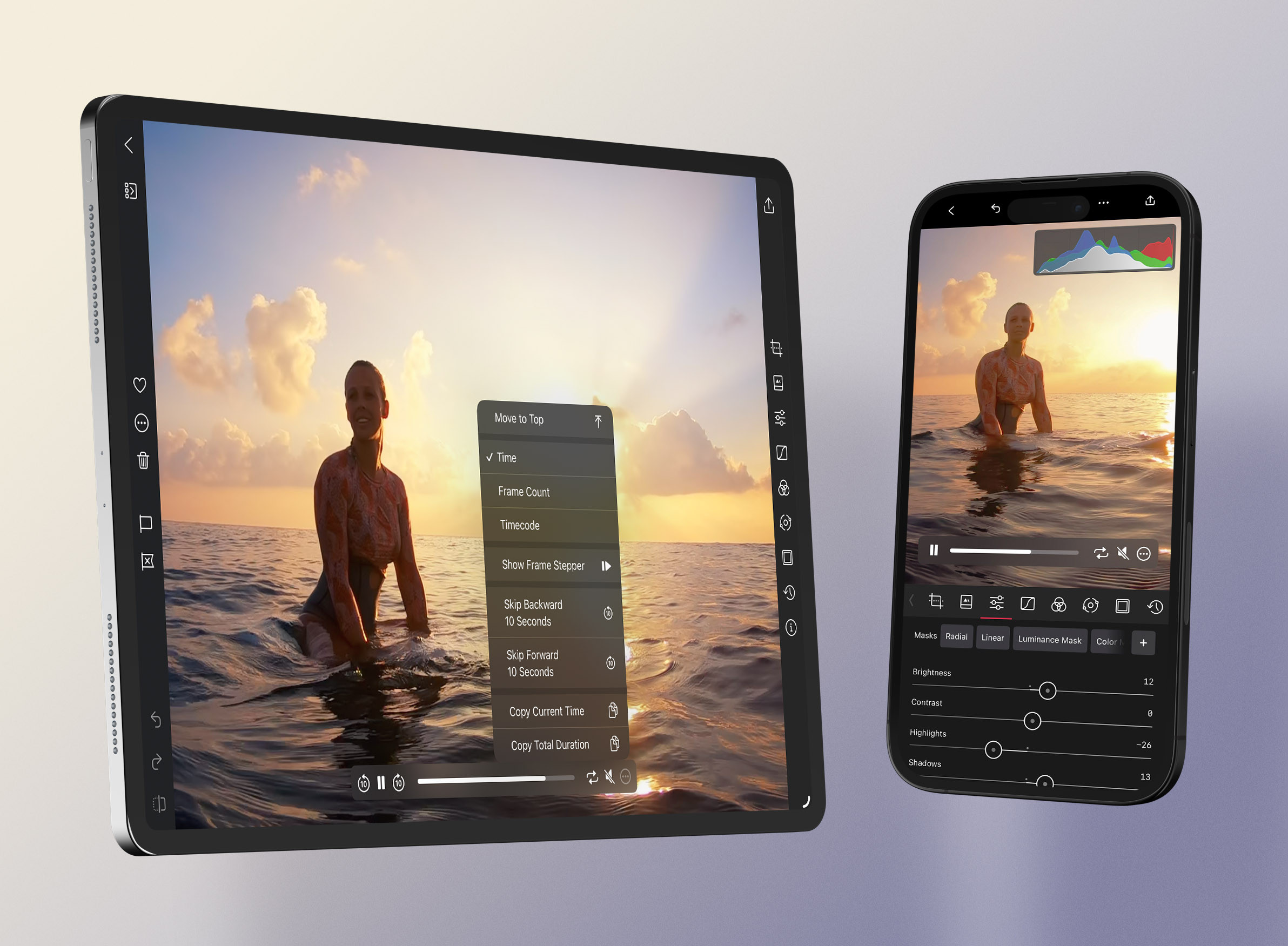
The same tools you already know
Open any video from your library and the tools look exactly like they do for photos. The whole stack carries over — Adjustment Sliders, Curves, Color (HSL), Color Grading, Presets, Frames, Transform, and Masks where the media and device support them. One exception: White Balance Auto and the Picker are photos only — on video, set Temperature and Tint by hand. Save a look as a preset and you can apply it consistently across every clip in a project.
Judge it in motion
A grade that looks perfect on a paused frame can fall apart once things move, so edit against playback, not a freeze-frame. Play, pause, scrub, and step frame-by-frame for precision, and loop a key segment while you grade so you're reacting to the clip in motion. Keep the Histogram visible while it plays to catch highlights that only clip during the brightest moment.
Two ways to work
For casual clips, capture in the Camera app (or a companion like Moment Pro), edit in Darkroom, and export with Modify Original to save your edits without spawning a duplicate — the Frame tool is great for a perfectly formatted border. For professional work, cull your selects, color-correct and grade them in Darkroom, favorite the keepers so they're easy to spot, then use batch paste and export to push a look across the set before sequencing elsewhere.
Export
Darkroom exports video as H.264, HEVC, at resolutions up to 8K, in SDR. Bitrate is relative to the original — higher means better quality and larger files — and the usual export options apply, including watermarks, copyright, and stripping location metadata.
Related
- Video Processing Comes to Darkroom — how video editing works
- Color Grading for cinematic looks across clips
- History for batch paste across a sequence
- Export Settings for formats, resolution, and bitrate